* Pour plus d'informations sur votre pompe à chaleur, retrouvez le manuel d'utilisation complet sur
www.warmpool.fr ou via le QR code, à scanner en fin du Quick Start
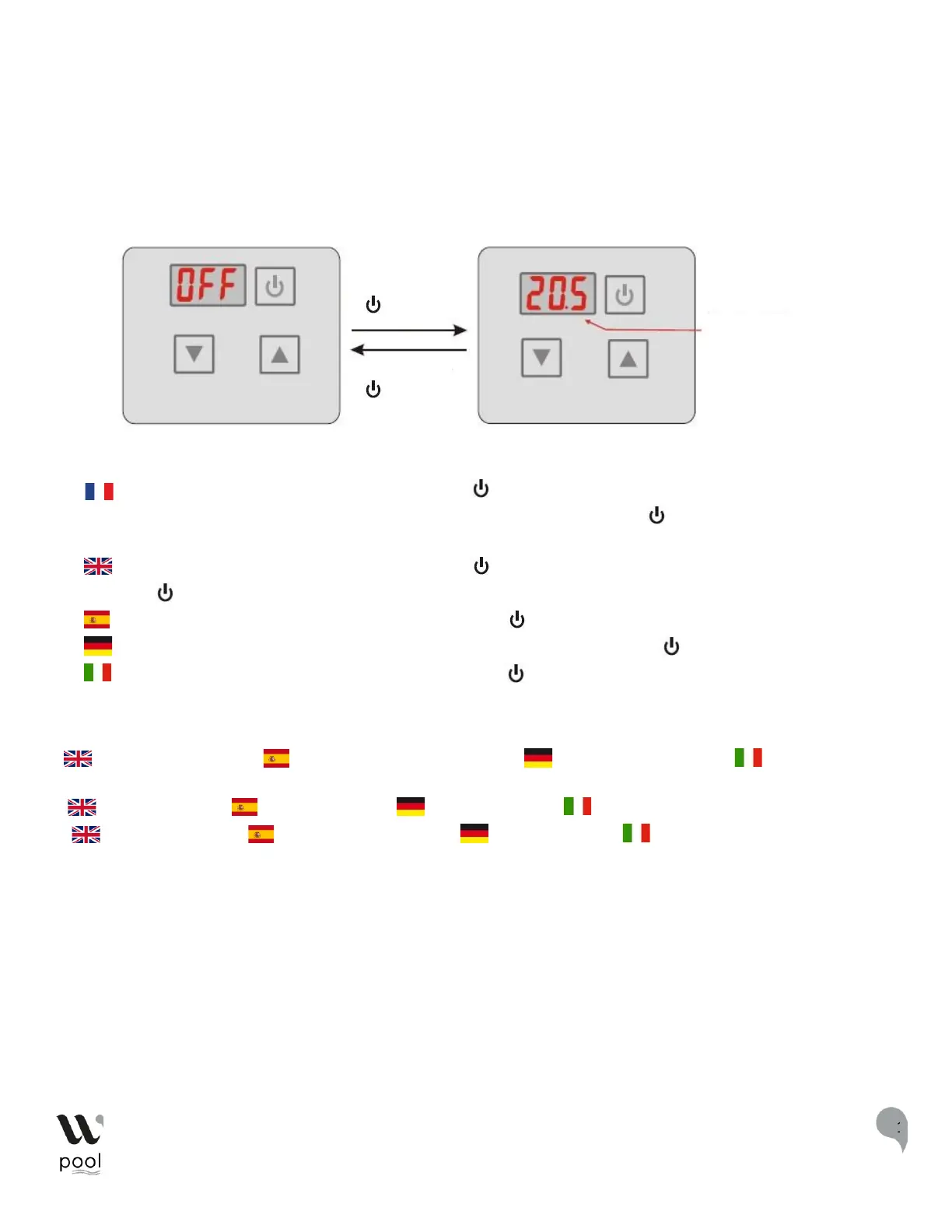
Utilisation du display – use of the display - uso de la pantalla - Verwendung des
Displays- Uso del display
Allumer/éteindre l'appareil – turn on/off the appliance - encender/apagar el aparato –
das Gerät ein-/ausschalten - accendere / spegnere il dispositivo
Interface de mise en veille** Interface de fonctionnement***
: Lorsque l'appareil est éteint, appuyez la touche « » et maintenez -la enfoncée pendant 0,5s pour allumer
l'appareil. Pour éteindre la pompe à chaleur, appuyez également sur la touche « » en la maintenant enfoncée
pendant 0.5s.
: when the appliance is off, press 0.5s the button «« » to turn on. To turn off the heat pump, also press the
buttom «« » for 0.5s
: cuando el aparato está apagado, pulse 0,5s el botón " " para encenderlo.
: Wenn das Gerät ausgeschaltet ist, drücken Sie 0,5 Sekunden lang die Taste " ", um es einzuschalten.*
: quando l'apparecchio è spento, premere 0,5s il tasto " " per accendere.
* : water inlet temperature - : temperatura de entrada de agua – : Wasserzulauftemperatur – : temperatura di
ingresso dell'acqua
** : standby interface – : interfaz en espera – : Standby-Interface – : interfaccia standby
*** : Functional interface - : Interfaz de funcionamiento - : Bedienoberfläche - : Interfaccia di funzionamento


 To Next Page