Réglage de la température - Temperature setting - Ajuste de la temperatura -
Temperatur einstellen - Regolazione della temperatura
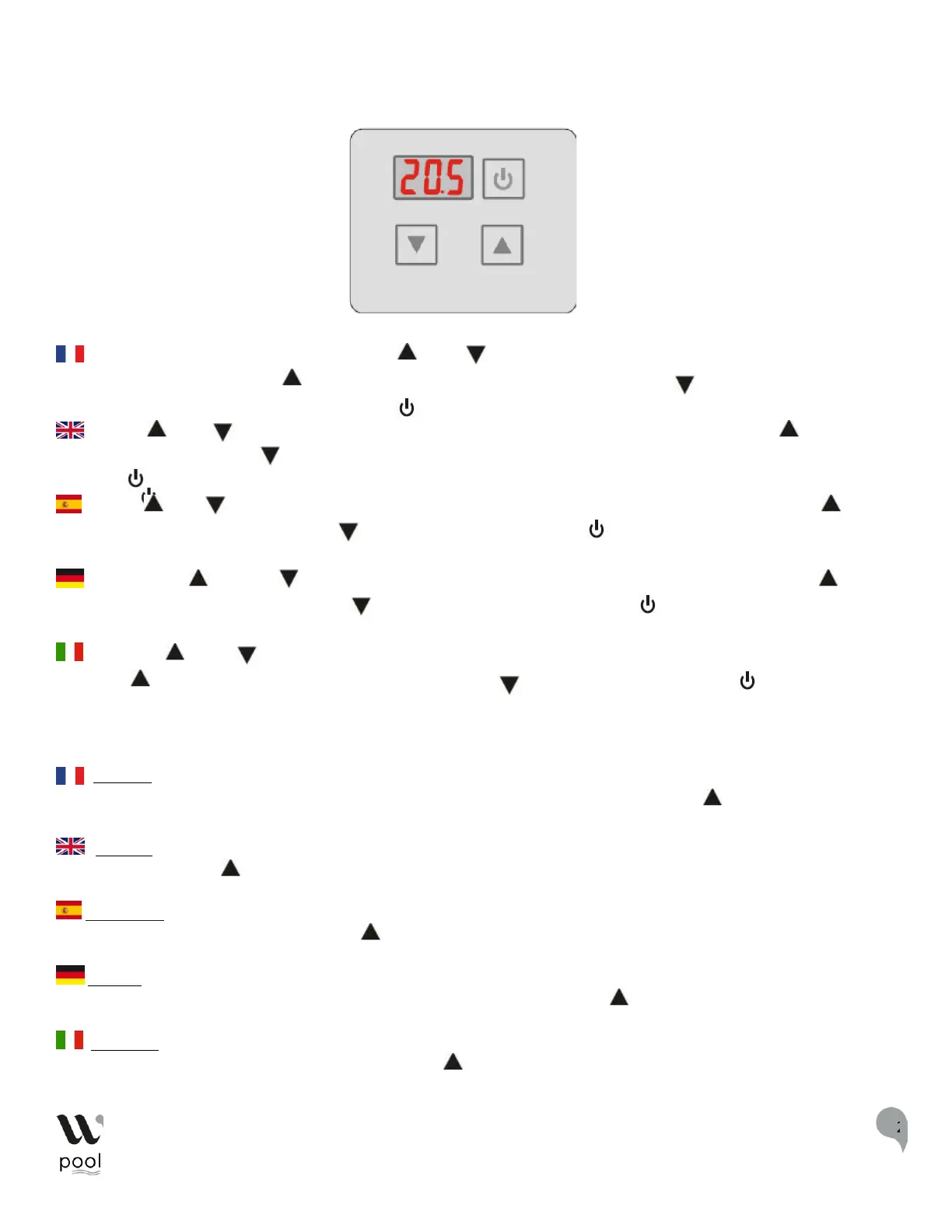
FR : Pour modifier la température, appuyez sur « » ou « », la température de consigne du mode actuel doit
clignoter. Ensuite appuyez sur « » pour augmenter la valeur de température ou sur « » pour la diminuer. Pour
retourner sur l’interface principale appuyez sur « ». Cela n'enregistre pas le paramètre de réglage.
: Press " " or " ", the current mode temperature setpoint should be flashes. Then press " " to
increase the temperature value or " " to decrease it.
Pressing " " will take you back to the main interface. This does not save the setting parameter.
: Pulse " " o " ", la temperatura ajustada del modo actual debería parpadear. Luego presione " "
para aumentar el valor de temperatura o " " para disminuirlo. Pulsando " " volverá a la interfaz
principal. Esto no guarda el parámetro de ajuste.
: Drücken Sie " " oder " ", die aktuelle Modus-Solltemperatur sollte blinken. Drücken Sie dann " ", um
den Temperaturwert zu erhöhen oder " ", um ihn zu verringern. Wenn Sie " " drücken, gelangen Sie zurück
zur Hauptschnittstelle. Dadurch wird der Einstellungsparameter nicht gespeichert.
: Premere " " o "
", la temperatura impostata della modalità corrente dovrebbe lampeggiare. Allora, Poi
premere " " per aumentare il valore della temperatura o " " per diminuirlo. Premendo " " si torna
all'interfaccia principale. Questo non salva il parametro di impostazione.
Attention : S'il n'y a pas d'opération pendant 5s, le système se souviendra du réglage des paramètres et retournera à l'interface
principale. Pour voir la température de sortie, restez appuyé pendant 2 secondes sur la touche« ». Après 10 secondes le
paramètre clignote et l'affichage revient à l'interface principale.
Warning: If there is no operation for 5s, the system will remember the parameter setting and return to the main interface. In
the main interface, press " " for 2s you can see the output temperature. The parameter will flash and the display will return to the
main interface after 10s.
Advertencia: Si no hay ninguna operación durante 5s, el sistema recordará la configuración de los parámetros y volverá a la
interfaz principal. En la interfaz principal, pulse " " durante 2s para ver la temperatura de salida. El parámetro parpadeará y la
pantalla volverá a la interfaz principal después de 10s.
Achtung : Wenn 5 Sekunden lang keine Bedienung erfolgt, speichert das System die Parametereinstellung und kehrt zur
Hauptschnittstelle zurück. Drücken Sie auf der Hauptschnittstelle 2 Sekunden lang auf " ", um die Ausgangstemperatur
anzuzeigen. Der Parameter blinkt und die Anzeige kehrt nach 10 Sekunden zur Hauptschnittstelle zurück.
Attenzione: se non viene eseguita alcuna operazione per 5s, il sistema ricorderà l'impostazione del parametro e tornerà
all'interfaccia principale. Nell'interfaccia principale, premere " " per 2s per vedere la temperatura di uscita. Il parametro
lampeggerà e il display tornerà all'interfaccia principale dopo 10s.


 To Next Page
 Loading...