Need help?
Do you have a question about the WTC DEP-105S and is the answer not in the manual?
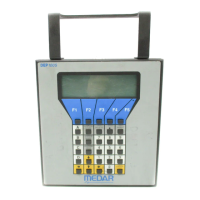
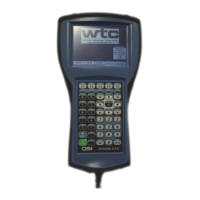
Details the physical layout of the DEP-100S keypad and how to navigate using mode and cursor keys.
Explains the use of keys for entering data, including numeric, alpha, insert, and delete functions.
Describes the context-sensitive functions provided by the five 'soft' keys (F1-F5).
Covers the DEP-100S display structure, cursor operation, and the procedure for resetting the HHT.
Guides on how to review, add, delete, or modify functions and values within a weld schedule.
Details how to review and program linear and SureWeld stepper profiles and associated parameters.
Explains how to view and download device-specific set-up parameters for custom weld control operation.
Covers assigning Welder IDs, transferring data between devices, and configuring network addresses.
Shows key weld parameters and results from the last executed weld for the selected device.
Allows adjustment of cycle times and weld energy without altering the main weld schedule.
Enables selection of WELD or NO WELD mode for a device via software setting.
Provides information on the current status of linear or SureWeld steppers, including ON/OFF and reset options.
Displays I/O states and reports detected fault/alert conditions from weld controls.
Shows the status of network communications, including error counters and device connectivity.
Displays software and hardware revision levels of the DEP-100S and connected weld control units.


 To Next Page
 General