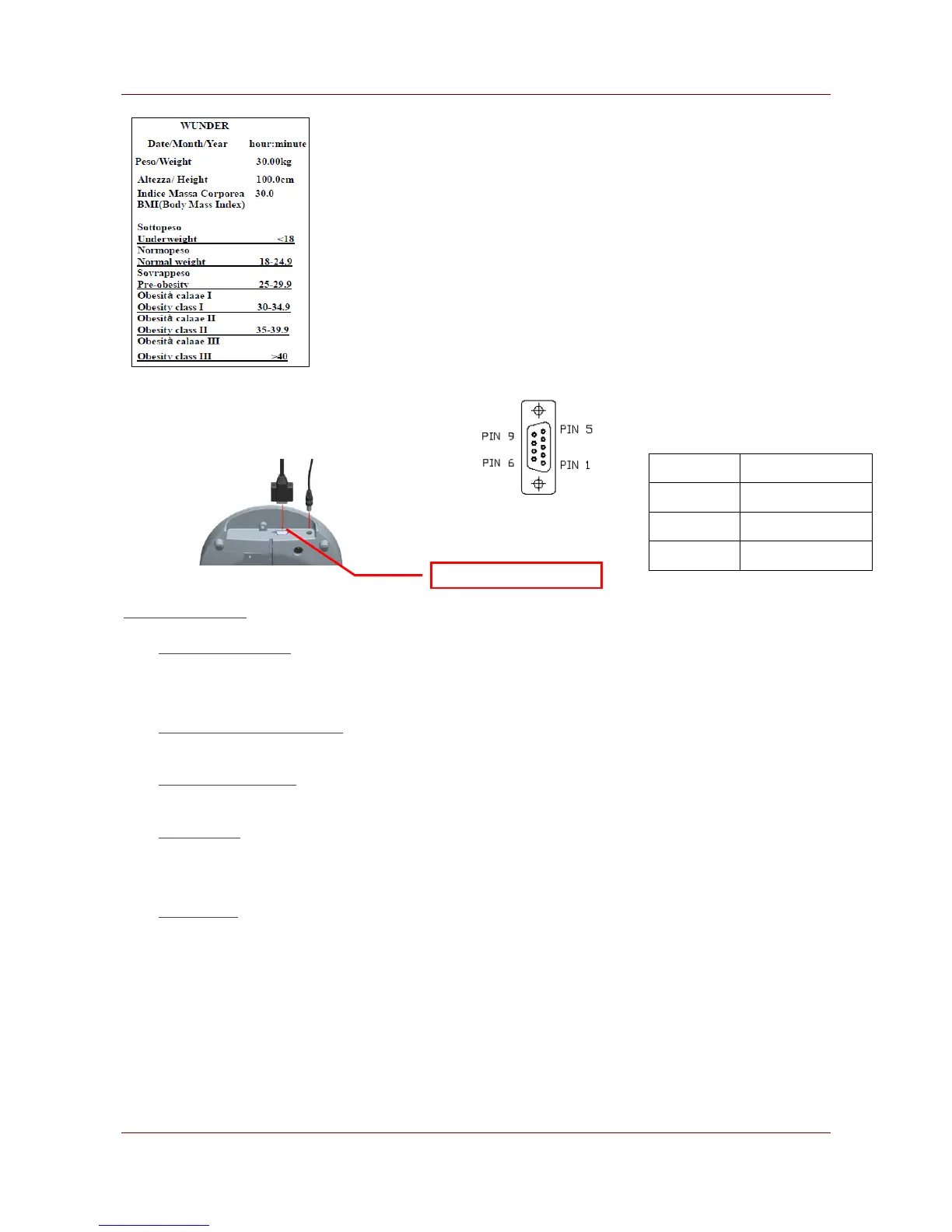
Set parameters of the scale interface on the connected device. It is
not possible to change the scale parameters.
Baud rate: 9600 bps
Parity check: None
Data length: 8 bits
Stop bit: 1 bit
Handshake: RTS/CTS
Data code: ASCII
Connecting with PC
• Start Hyper Terminal
• Start Hyper Terminal program from clicking
• Start Menu → Programs → Accessories → Communication → Hyper Terminal.
• New Connection Description
• Give new connection a name then clicks OK.
• Select Your COM Port
• Click Connect to select your COM port. Usually there’s only one option for select. Then click OK.
• Port Settings
• Click Bits per second to set up rate at 9600, Data bits at 8, Parity at None, Stop bits at 1 and Flow
control at Hardware. Then click OK to complete your setting.
• Output Data
• When press the PRINT key to output data from scale to PC or an Optional Printer.



 To Next Page