WUNDER SA.BI.SRL EN USER MANUAL
RA(WU150) REV. 02- 10/01/2017 19
The PRINTER can be connected via the RS232 port and cable with the RA200 .
Press the PRINT key. Print double language
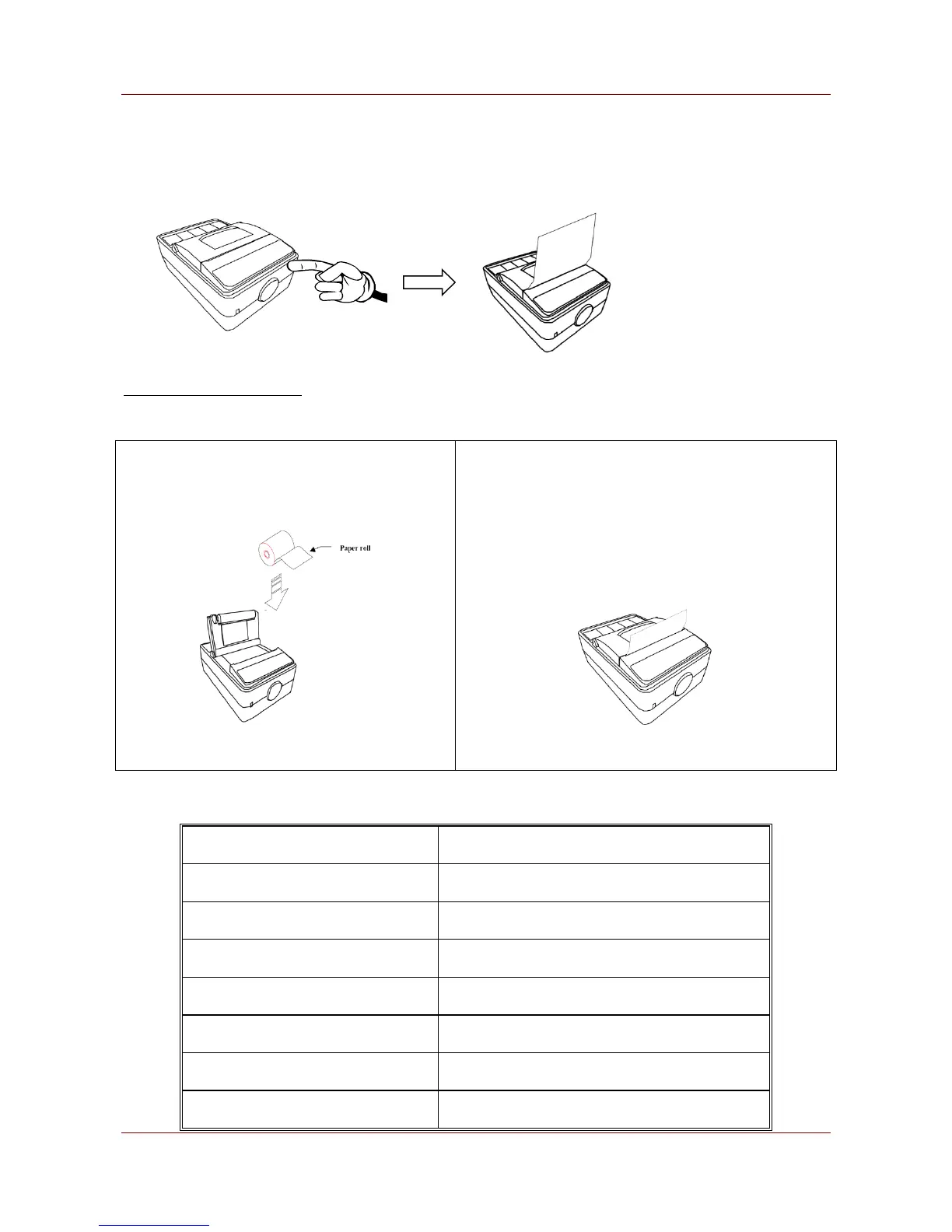
CHANGING THE PAPER ROLL
The paper print roll on a printer is changed as follows:
1. Open the upper cover and position the paper
roll so that it feeds in the right direction.
2. Feed the end of the paper roll through the printer
cover and close the cover. The printer is ready to
print.
17.2. PRINTER SPECIFICATION
Thermal dot line printing
Max. paper thickness (μm)
57.5±0.5 mm (W) x ψ30mm max



 To Next Page