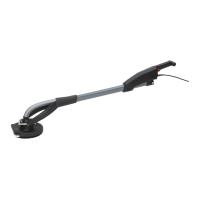
Initial operation
Prior to the initial operation make sure
that the voltage specifications on the
nameplate of the machine correspond
to the voltage of your power source.
Auxiliary handle
The auxiliary handle
3
can be screwed to the machine
with the integral knurled screw
4
.
Insert a Phillips screwdriver into the hole at the end of
the auxiliary handle to loosen or tighten the knurled
screw
4
.
Fitting of sanding sheet
The tool is equipped with a quick-change system (Velcro
tape). This makes it possible to rapidly change sanding
tools without any further tools being required.
Before fitting new sanding sheets, remove any dust –
and dirt from rubber backing pad
2
.
Press the sanding sheets or polishing tools onto –
rubber backing pad
2
, ensuring that the holes are
aligned.
ON/OFF switch, continuous connection
Press switch –
7
to turn on the machine.
For continuous operation lock ON/OFF switch –
7
with locking button
6
. Press ON/OFF switch
7
again to turn off the machine.
To adjust number of oscillations
Use thumbwheel –
5
to adjust the number of oscil-
lations (possible also when the machine is operat-
ing).
Recommended adjustments:
Plastics 1 - 2
Metal, Plexiglas, removing paintwork, 3 - 4
coarse sanding, fine sanding, polishing,
wood
5
The best possible adjustment is ascertained by testing. –
Twin Adjustment of oscillation range
(only ETS 150-E twin)
Possible adjustments:
Large oscillation range (6.2 mm): coarse sand-
ing with high rate of removal.
Small oscillation range (2.8 mm): fine sanding.
Way of proceeding:
Pull mains plug. –
Press locking button –
11
and keep it pressed. Turn
rubber backing pad
2
counter-clockwise until it
snaps into place.
Keep locking button –
11
pressed.
Turn rubber backing pad –
2
by one half-turn to the
next engaging position.
Release locking button –
11
.
Dust extraction
Internal dust extraction:
SStick dust catching cartridge –
9
onto outlet open-
ing until it snaps into place.
To remove it press button –
10
and pull dust catching
9
cartridge backwards.
To maintain optimum extraction performance, emp-–
ty dust catching cartridge
9
regularly and clean
filter
13
.
External dust extraction:
Fit outlet connection piece (art. 0702 400 042 –
accessories).
Connect suitable dust extraction device. Use ex-–
traction hose with a diameter of 35 mm of the con-
nection.
Changing of tools
Prior to working on the machine, pull the mains plug.
Changing the rubber backing pad (fig. II)
Unscrew fastening screw –
14
from rubber backing
pad with Allen key
8
.
Remove rubber backing pad –
2
and insert the re-
placing rubber backing pad.
Turn rubber backing pad until it engages in driver –
retention.
Screw in fastening screw – 14 and tighten with Al-
len key 8.
Changing the brake of the rubber backing
pad / brake ring
Unscrew fastening screw –
14
from rubber backing
pad with Allen key
8
.
Remove rubber backing pad –
2
.
Replace old brake ring –
15
by a new one and make
sure that it is in the same position the old brake
ring was in.
Observe the position of the marking on the brake –
ring!
Turn rubber backing pad –
2
until it engages in driv-
er retention.
Screw in fastening screw –
14
and tighten with Allen
key
8
.
Operation instructions
Grinding of surfaces
Only perfect sanding sheets yield good sanding per-
formance and prevent the machine from damage.
Make sure the grinding pressure is even. Low grind-–
ing pressure leads to increased grinding perform-
ance and prevents the machine and the grinding
tools from damage.
Depending on the surface to be processed, differ-–
ent rubber backing pads or sanding sheets are to
be used.


 To Next Page
 Loading...