Page 17 of 31 Pages
After a few seconds settling time the key
HOLD must be pressed again for collecting the second reading. The
instrument/sensor remains at the same position without turning 180°.
The newly computed „Zero-Offset“ is now displayed on the LEVELMETER
(The displayed „Zero-Offset“ is calculated by adding the two readings and
dividing the result by two.)
If this „Zero-Offset“ must now be saved, the key
ENTER must be
pressed. Immediately after this, the selection pointer jumps to the
measuring mode absolute and the measuring result under consideration
of the „Zero-Offset“ (Basic offset) will be displayed.
The „ZERO-OFFSET“ is stored in the sensor head
Displayed value =
Value of the sensor minus „Zero-Offset“.
Remarks: Until the input is confirmed by using the
ENTER key, every manipulation can
be stopped at any time by pressing
SEND/ESC
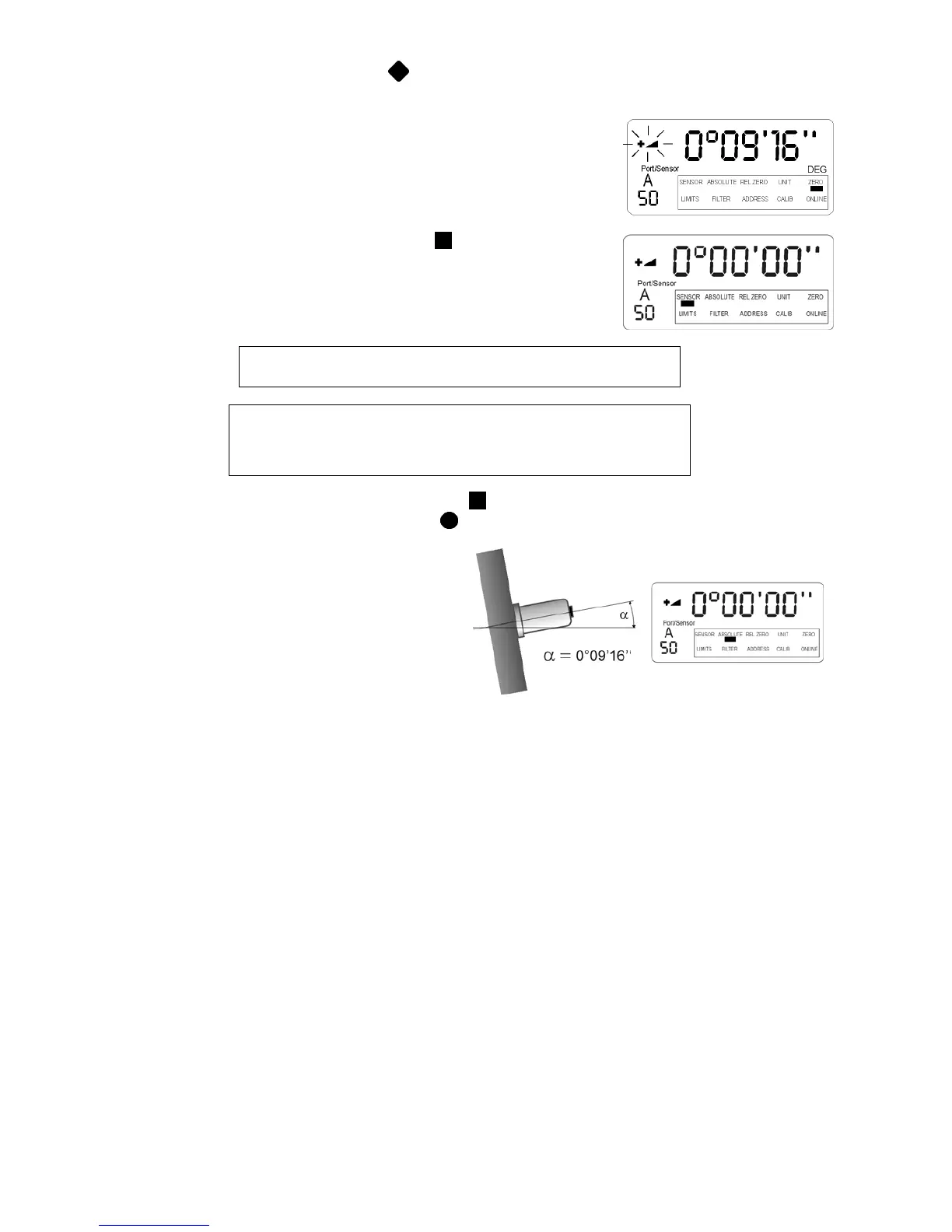
Result:
Despite the fact that the sensor is still mounted
at the same angle the display of the
Levelmeter 2000 now shows the value
0°00‘00‘‘ This is the so called virtual ZERO
This new virtual ZERO is the reference for all
the future measurements based on this angle
(originally 0°09‘16‘‘)
Remarks: Please see also "Relative measurement" Chapter 3.9.2



 To Next Page