Page 21 of 31 Pages
Example using the Hyper Terminal of Windows NT or Windows Terminal program
(Example is WIN NT)
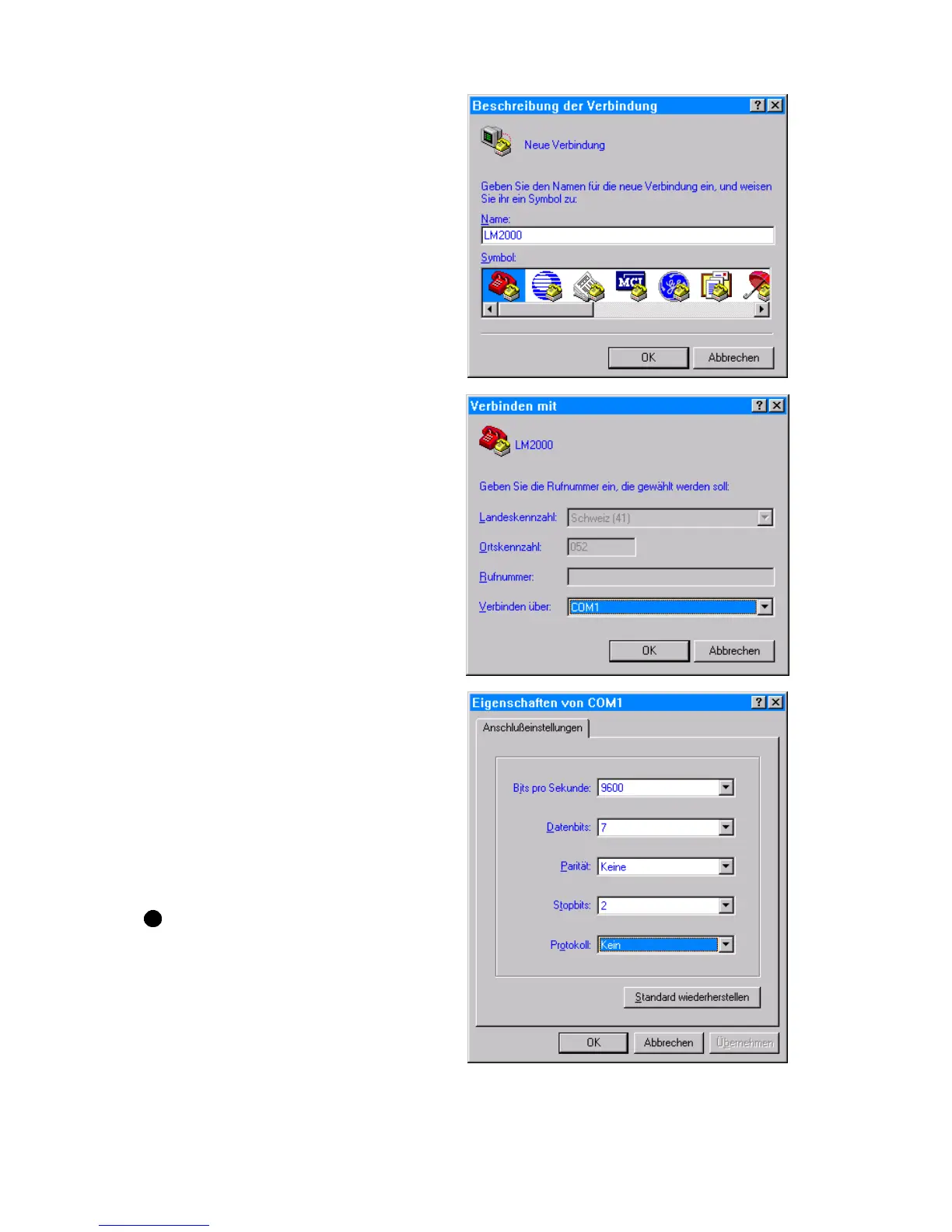
1. Open the Terminal-Program in
Windows / Accessories. and insert a
name
Confirm with OK
2. Enter the serial port definition
connected to the Levelmeter 2000.
Confirm with OK
3. Enter the parameters
Bits per Second: 9600
Data bits: 7
Parity: no
Stop bits: 2
Protocol: no
Confirm with OK
The HyperTerminal-Windows appear.
Repeatedly pressing the key
SEND/ESC the actual value will
be transmitted in [Rad]
Alternatively the value can be called
by pressing the key "P" on the PC
keyboard.



 To Next Page