Page 23 of 31 Pages
3.6. Terminating a measurement or a set up
In case of the required canceling of a measuring procedure or the changing of parameters the process may be
ended at any time and the previous state will be installed by pressing
SEND/ESC. This is true only as long as
no changement has been accepted by pressing
ENTER before.
3.7. Selecting a sensor or an instrument
With the LEVELMETER 2000 the possibility exists to display the measured values of individual sensors,
respectively instruments connected, or the difference between two connected sensors. In case of the differential
measurement the two sensors must be connected to the two ports A and B. It is not possible to measure the
difference of two sensors connected to the same port.
Basically the following set-up is possible:
- Display the value of one of several sensors connected to port A
- Display the value of one of several sensors connected to port B
- Display the differential value between sensors connected to port A and port B
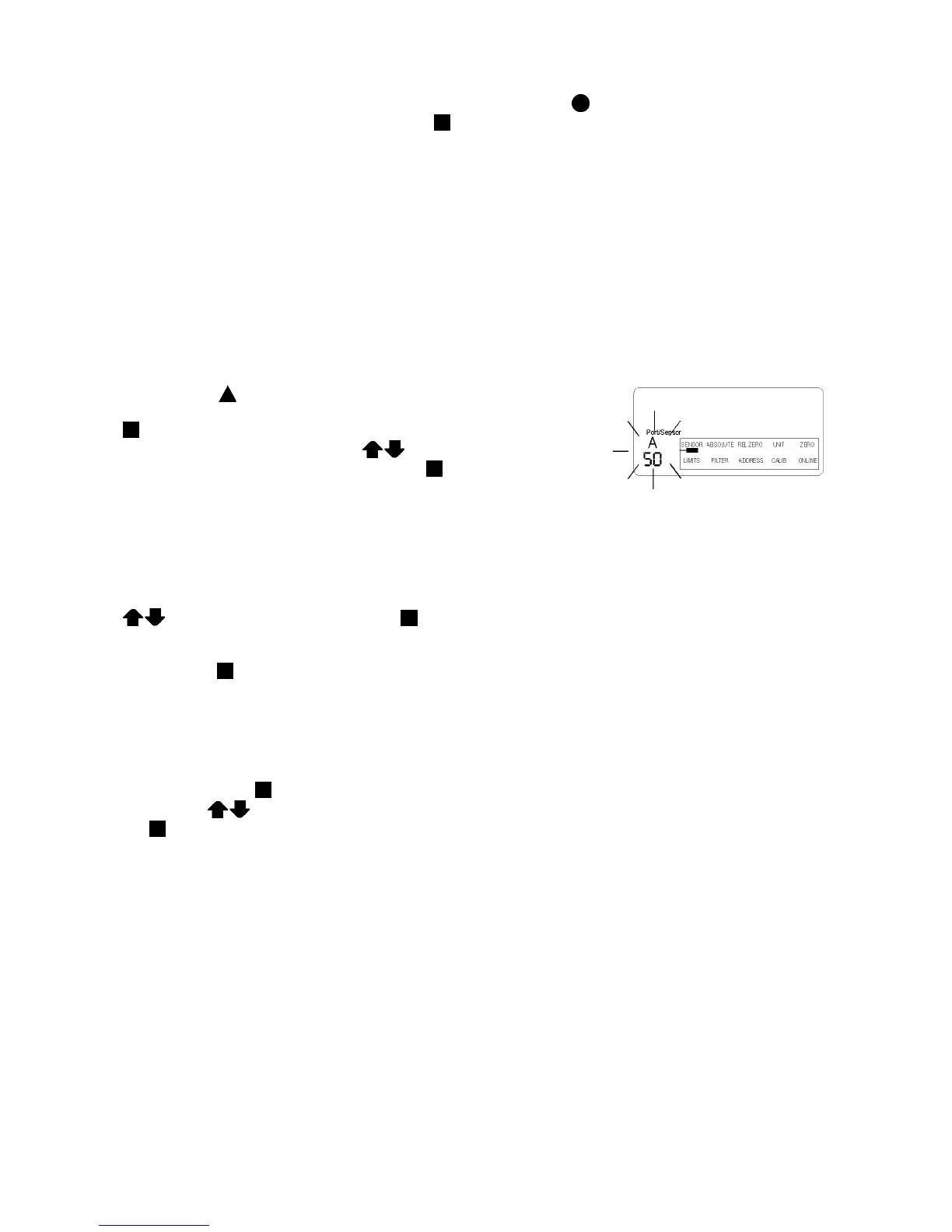
For choosing the measuring mode and the address of the sensors
connected the
ON/MODE key must be pressed repeatedly until the
selection pointer is below SENSOR and accepted by pressing
ENTER. The possibilities "Port A", "Port B", "Port A-B" or "Port A B"
may be selected by applying the key
ZERO/SELECT "+/-" The
desired selection can be accepted by pressing
ENTER. After this
the LEVELMETER 2000 is looking for all the connected sensors
respectively their address. Up to 255 sensors may be connected. The
address of the first sensor will be displayed flashing. During the
searching procedure the frame of the „Sensor address“ will flash in
circular motion below the selected port.
If more than one sensor is connected to the port A, the one desired can be selected by pressing
ZERO/SELECT and confirmed with ENTER. In case of differential measurement between two sensors
the same procedure must be repeated for port B.
After pressing
ENTER the respective measurement starts.
3.8. Selecting correct filter type for various applications
(to be used only with ZEROTRONIC sensors)
Factory setting of filter type is filter no. 5. This filter type can be changed by moving the selection pointer below
„FILTER“ and press
ENTER. The standard filter type no. 5 is flashing.
By using the
ZERO/SELECT button a filter from 1 to 10 may be selected and then confirmed
with
ENTER.
The measurement conditions have usually a great impact on the result of the measurement, the best filter type is
normally established by trying different set-ups.
Basically the filter no. 1 gives the direct reading from the sensor’s output, this means minimum smoothing of the
value is applied. The filter no. 10 gives the maximum smoothing of the measured values.


 To Next Page
 Loading...




