2
ICONS USED FOR BLUETOOTH DEVICES AND SERVICES
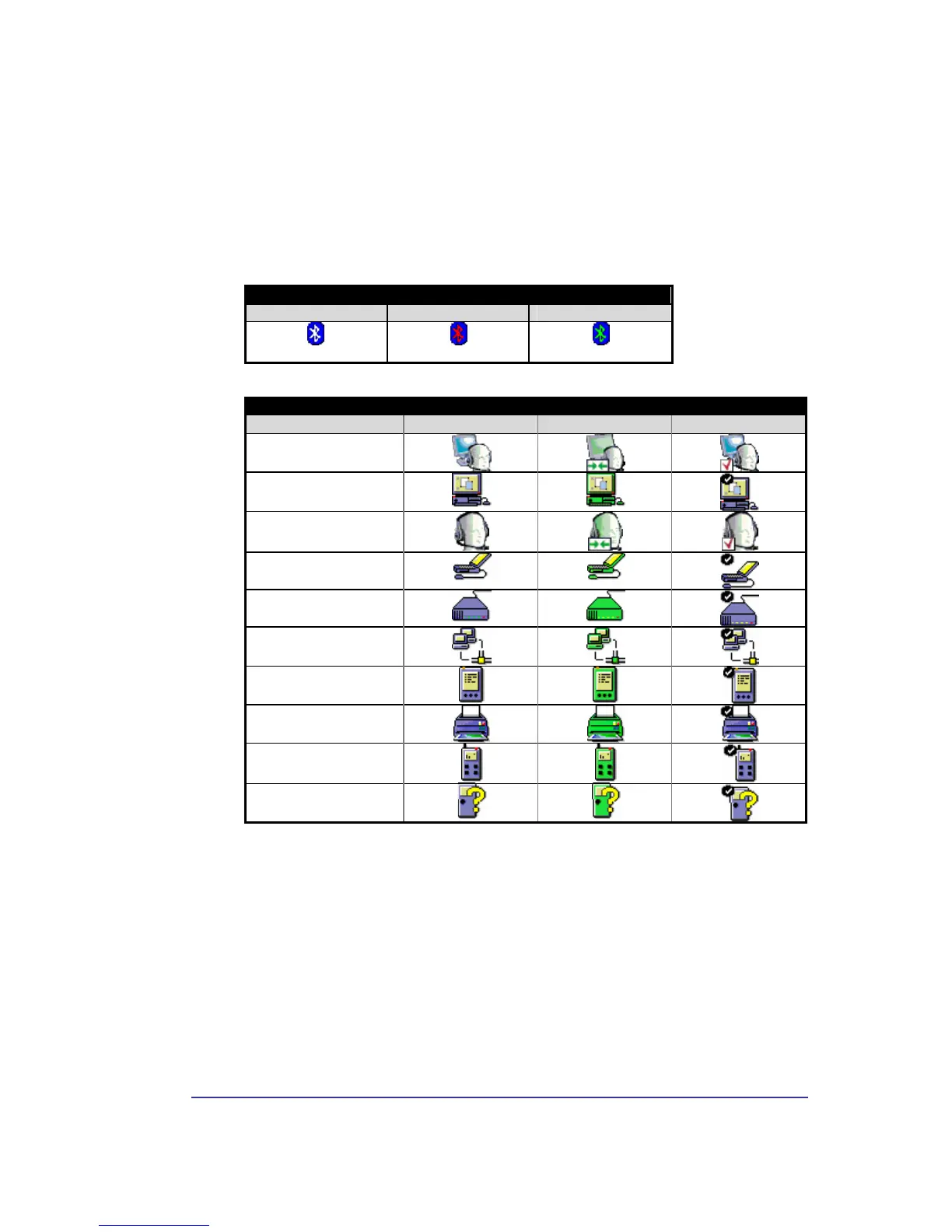
Bluetooth icons provide at-a-glance feedback about a device or service's status by
changing appearance.
The Bluetooth icon in the Windows system tray provides feedback about Bluetooth status.
Figure 1: Bluetooth Icon
Bluetooth Icon Indicates Bluetooth Status
Enabled Disabled Connected
Blue with White
Blue with Red
Blue with Green
Figure 2: Device Icons for Windows 9x, Me and 2K
Device Icons for Windows 9x, Me and 2K
Name Normal Connected Paired
Audio Gateway
Desktop
Headset
Laptop
Modem
Network Access Point
Personal Digital Assistant


 To Next Page