5
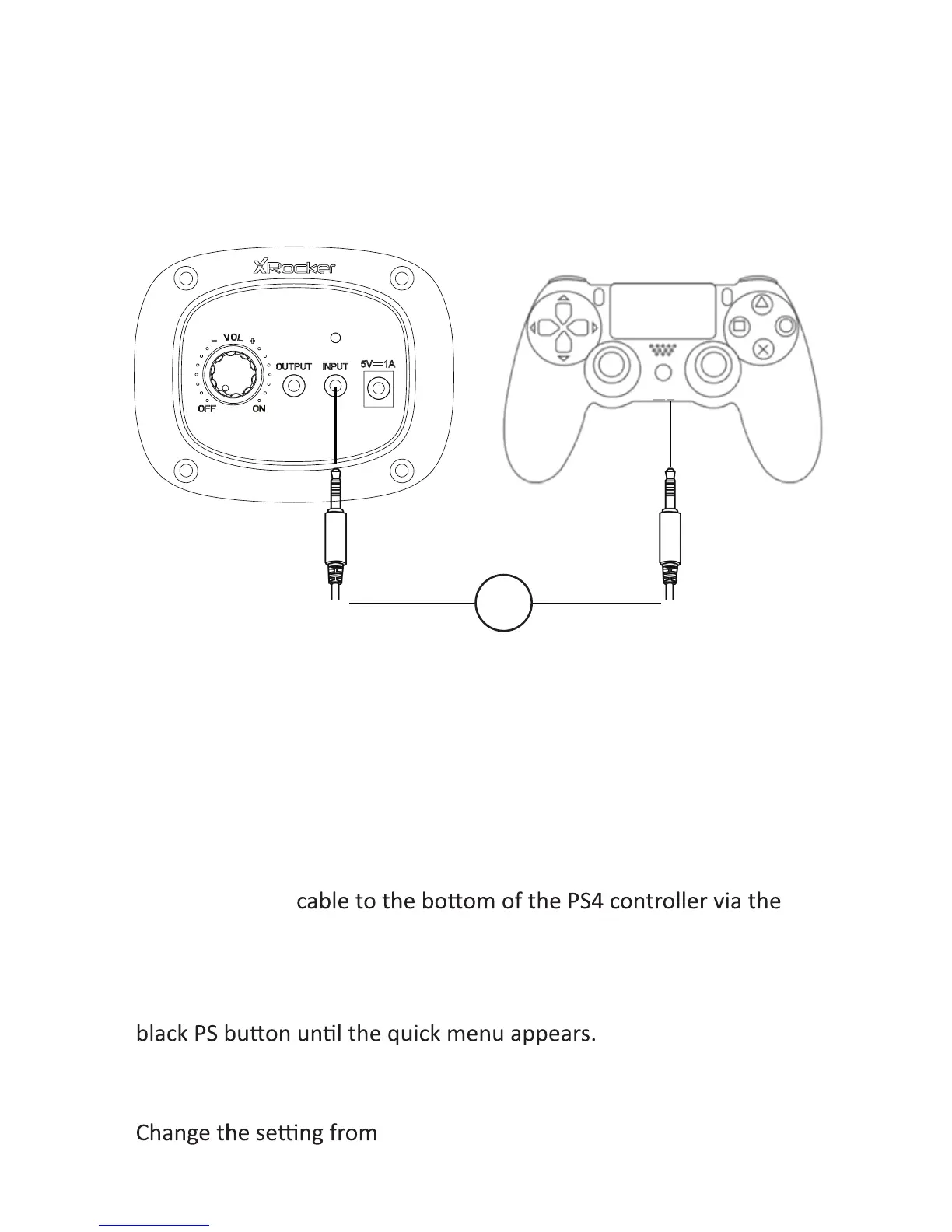
1. Connect the B1
headset socket.
2. Connect the other end of the B1 cable to the chair via the green port.
3. With the PS4 turned on and in the main menu, press and hold the
4. In this menu select [Adjust sound and devices]
5. Then select [output to headphones]
6.
[Chat Only] to [All audio]
7. Make sure the volume in the previous menu is set to the maximum.
Connect by controller:
(PS4 systems only)
B1


 To Next Page