- 6 -
Pre-Wiring
D5RH and D5SH, D5SH4 Digital Audio Distribution Hub to D5KP Amplifier Keypad
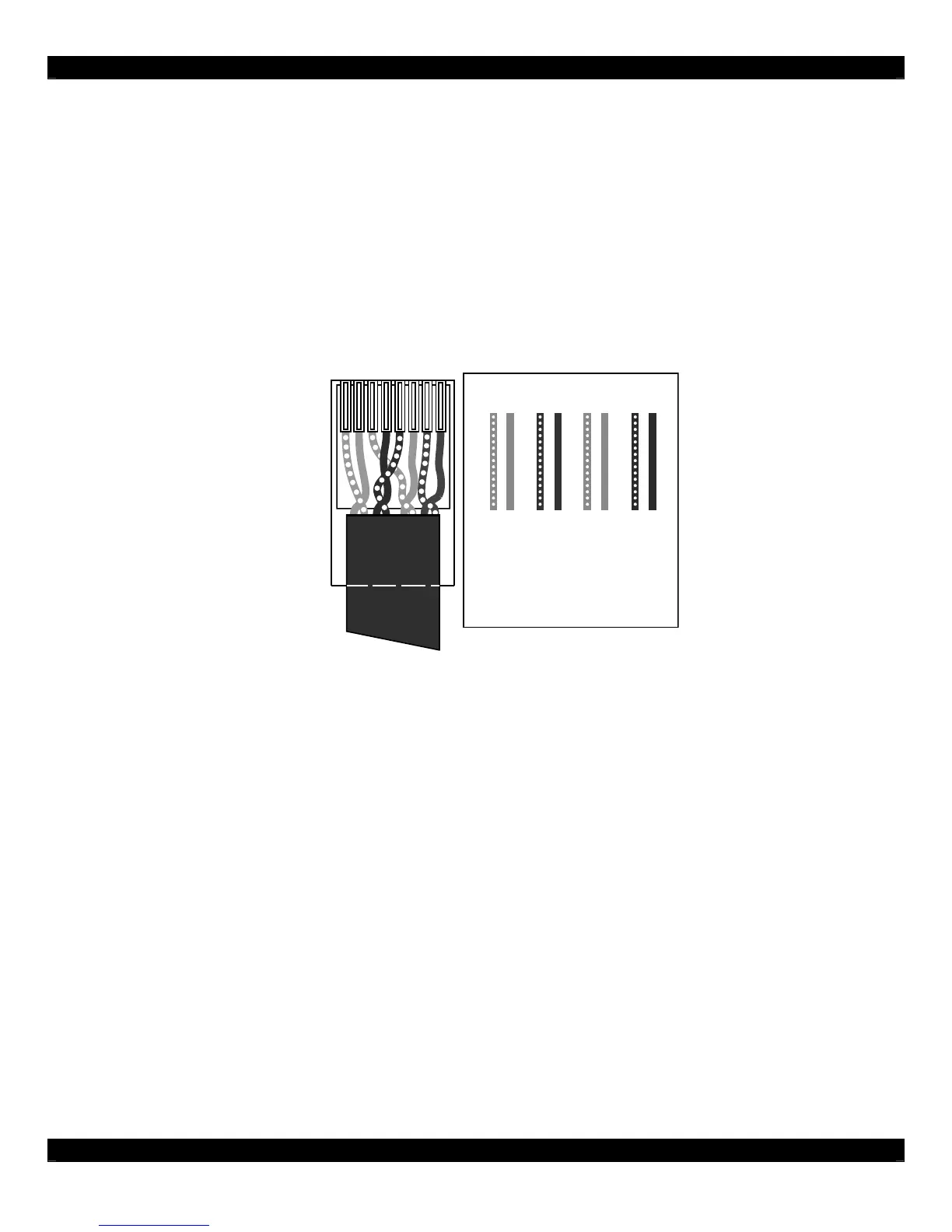
The D5SH4 and all associated components are wired using CAT-5 terminated to the T-568A Wiring
Standard (Figure 2.1). When pre-wiring, run lengths of CAT-5 from the pre-determined R5RH and
D5SH, D5SH4 Digital Distribution Hub location (the “head-end”) to each Amplifier Keypad location.
The CAT-5 routes all audio, power, IR and status information needed for full system operation. Use a
110 Punch-down tool to connect the CAT-5 wiring to the Digital Audio Distribution Hub.
Note: For maximum performance over long runs (more than 150 ft) run an additional 16AWG 2-
conductor wire for external power.
12345678
12 34 56 78
GREEN/WHITE
GREEN
ORANGE/WHITE
BLUE
BLUE/WHITE
ORANGE
BROWN/WHITE
BROWN
Shown tab
down
Figure 2.1: T-568A Wiring Standard
D5KP Amplifier Keypad to Speakers
Run 16AWG 2-conductor stranded copper speaker wire between the D5KP Amplifier Keypad
locations and speaker locations.



 To Next Page