6
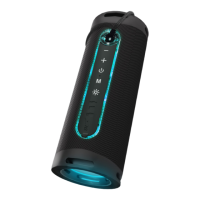
Thank you for purchasing the XBLITZ MASTER PRO speaker. The device is a wireless
speaker that connects to your phone or other mobile device using Bluetooth tech-
nology and support the mass storage les playback.
Xblitz Master Pro speaker
USB cable
AUX cable
User manual
+ buon
– buon
POWER buon
Microphone
MODE buon
LED buon (LED backlight adjustment)
AUX socket
Micro-SD card slot
USB ash drive socket
Micro-USB socket (device charging)
LED Backlighng
To recharge the device, connect it to the charge using the USB cable. The me
required to fully charge the baery is approximately 2h. When the device’s baery
is about to deplet, the speaker will start beeping.
When the device is switched on, BT mode, which is the default mode of ope-


 To Next Page