2 Microsoft Broadband Networking Xbox Wireless Adapter User’s Guide
About the Adapter
The Microsoft Xbox Wireless Adapter connects to an Xbox console with an
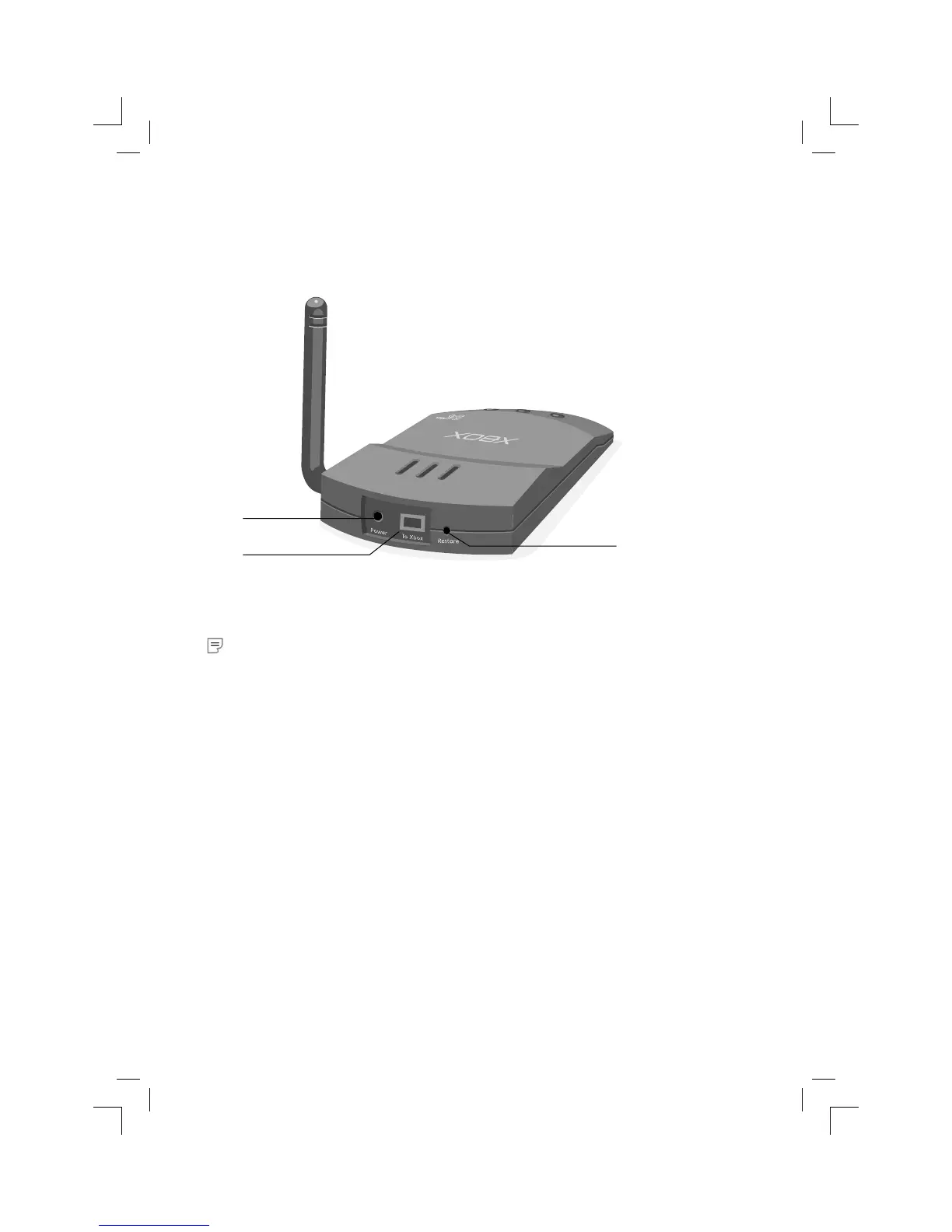
Ethernet cable. The following illustrations show the locations of the ports, status
lights, and Restore button on the adapter.
The back of the adapter has a Restore button, a To Xbox port for the Ethernet
cable, and a Power port.
Note If the provided Ethernet cable does not meet your needs, you can use any other
Ethernet cable (either the “straight-through” type or the “crossover” type) when you
connect your Xbox console to your Xbox wireless adapter. Do not use a phone cord for
this connection.
Power port
To Xbox Ethernet port
Restore button


 To Next Page