Chapter 1: Introduction 3
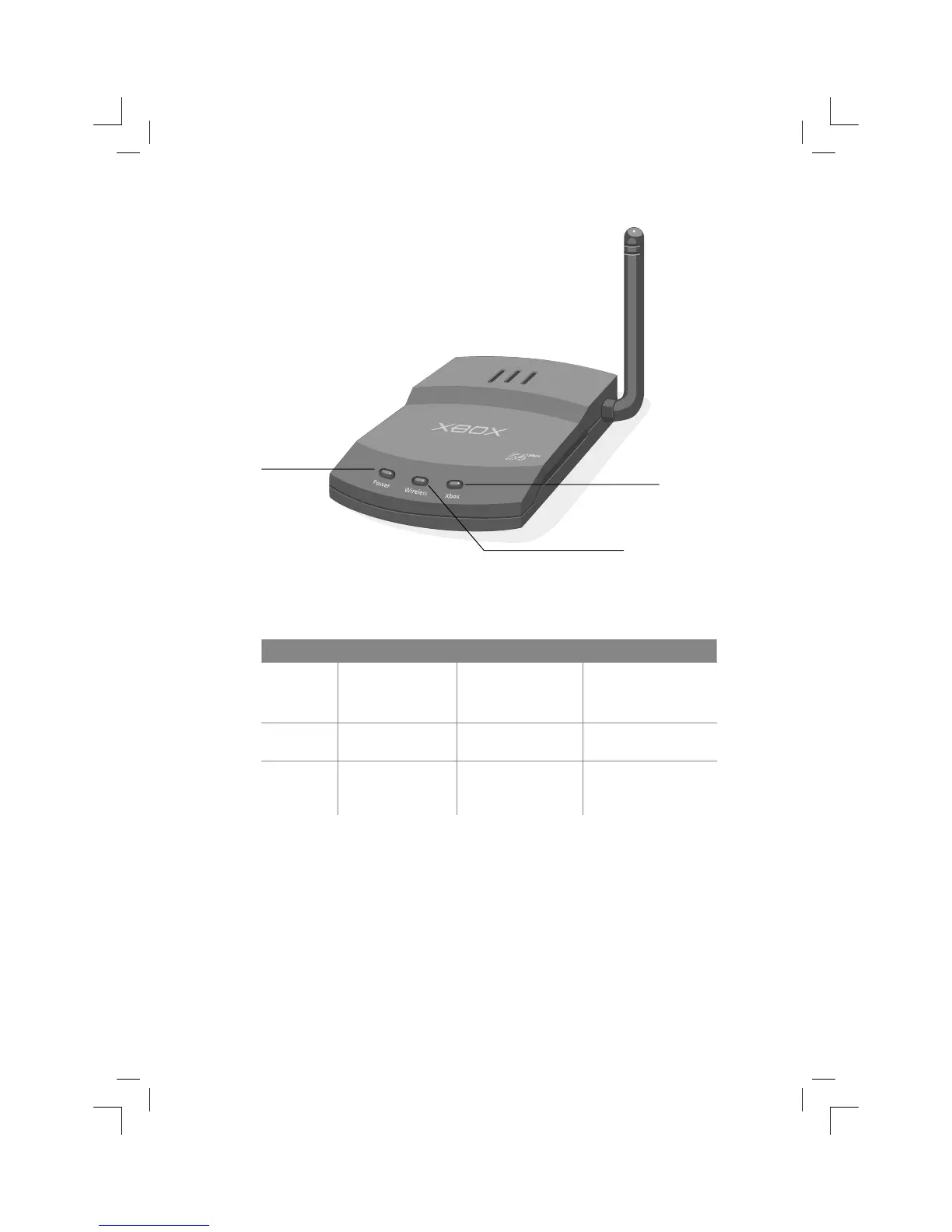
The front of the adapter has three status lights. The following table describes the
behavior of each light.
Status light On Off Blinking
Power Green: Ready
Orange: Updating
fi rmware or resetting
Not receiving power Restoring factory
defaults or error*
Wireless Radio enabled Radio disabled Data being sent or
received wirelessly
Xbox Xbox console turned
on and connected
Xbox console turned
off or not connected
Data being sent or
received over Ethernet
connection
*If the Power light continues to blink after you attempt to update the adapter
fi rmware, reset the adapter by using the following procedure.
Resetting the Adapter
You can reset the adapter to correct connectivity problems. Simply unplug the
adapter power supply, and then plug it in again. The Power light will turn orange,
and then turn green when the reset is complete.
Power light
Wireless light
Xbox light


 To Next Page