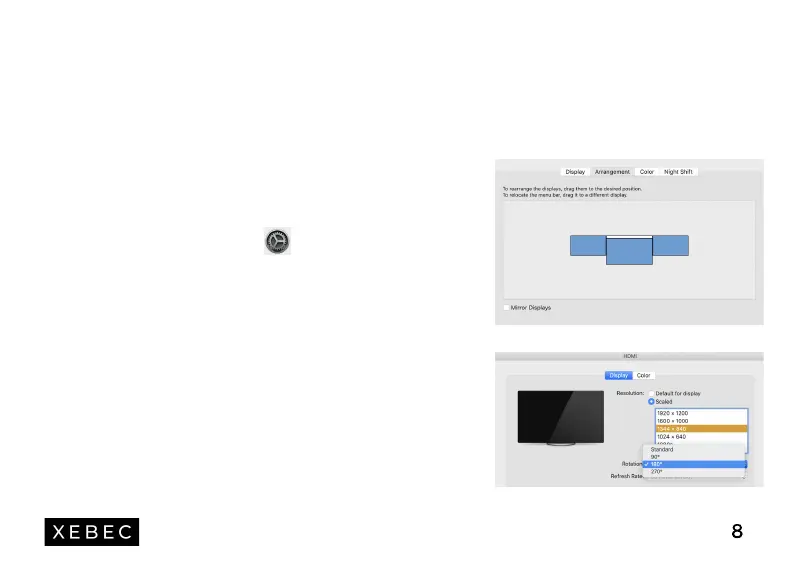
Open "System Preferences"
Select "Displays" from the menu
Click "Arrangement" from display menu
Click and drag screens to configuration shown
If any of the screens are upside down, click on the display
menu on that screen and select "180 degrees" from the
dropdown
To increase the zoom, click the "Scaled" radio button,
then select "1344 x 840" from the menu
For more details, visit www.thexebec.com/tutorial
MAC
1.
2.
3.
4.
5.
6.
7.
Laptop Display
Configuration
8


 To Next Page