
 Need help?
Do you have a question about the Xebec TRI-SCREEN and is the answer not in the manual?
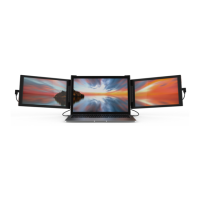
Overview of the main Tri-Screen display unit.
Details on included accessories like kickstand and cable management items.
Information on the various cables provided for connection.
Steps to configure laptop display settings for Windows operating systems.
Steps to configure laptop display settings for macOS operating systems.
How to use the kickstand for additional screen support and height adjustment.
Tips for organizing cables using clips and ties to keep the setup tidy.
Enabling laptop charging through the Tri-Screen's USB-C port.
Using bracket adapters for a more secure fit on laptop screens.
Instructions for packing the Tri-Screen attached to the laptop for convenience.
Important safety precautions for using, storing, and cleaning the Xebec Tri-Screen.
Warning about small parts and keeping the product away from children.
Details on who is eligible to use the Xebec limited warranty.
Explanation of what the limited warranty covers, including defects.
Information on the duration of the warranty period from the date of purchase.
Description of the primary remedy provided for product defects under warranty.
Details on conditions and damages that are not covered by the limited warranty.
Disclaimers of other warranties and limitations on liability.
Explanation of Xebec's liability limits concerning product use and damages.
Procedure for contacting customer service and requirements for warranty claims.
 General
| Brand | Xebec |
|---|---|
| Model | TRI-SCREEN |
| Category | Projection Screen |
| Language | English |

 To Next Page
