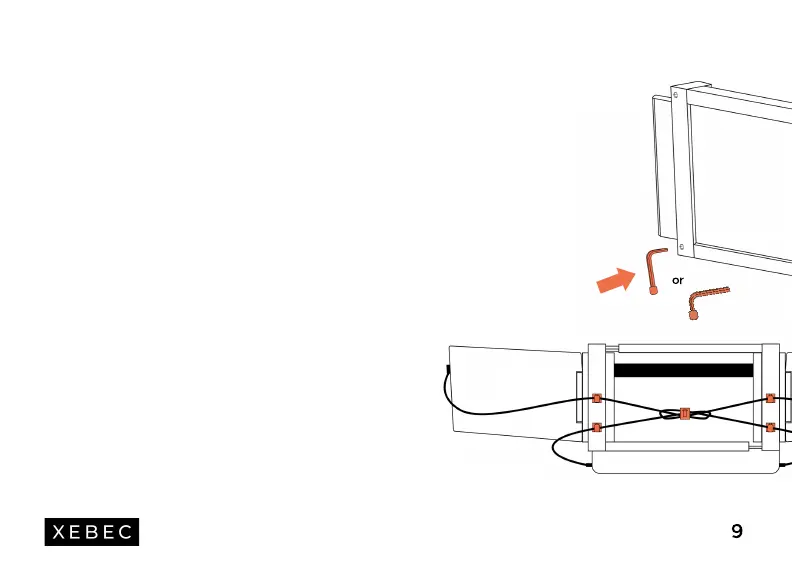
KICKSTAND
Want more screen support? Place one end of the
kickstand into the back of the Tri-Screen and rest easy.
Have a taller screen? Remove the rubber cap and place
it on the other end (as shown) and you're set!
CABLE CLIPS
Have extra cable length? Stick the adhesive-backed
clips wherever you wish on the back or bottom of your
Tri-Screen and keep your cables from moving around.
CABLE TIE
Want to tidy everything up? Keep the cables together
using the velcro tie.
Customize Your
Tri-Screen
9
or


 To Next Page