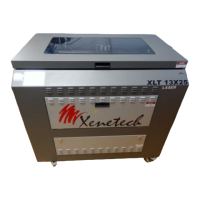
Xenetech Duo 1218 Installation & Table Manual
1
TABLE OF CONTENTS
SAFETY INFORMATION ......................................................................................................................................... 5
PLACEMENT OF WARNING LABELS ................................................................................................................. 7
ABOUT YOUR SYSTEM ........................................................................................................................................... 8
Outside ................................................................................................................................................................. 8
Motion System ...................................................................................................................................................... 9
Optics ................................................................................................................................................................. 10
Table and table elevator assembly ..................................................................................................................... 10
Laser Tube and Control panel assembly ............................................................................................................ 11
FIRST THINGS FIRST ............................................................................................................................................ 13
Unpacking the System ........................................................................................................................................ 13
System Placement ............................................................................................................................................... 13
Cable Connections ............................................................................................................................................. 13
Turning On the System for the first time ............................................................................................................ 14
SOFTWARE INSTALLATION ............................................................................................................................... 15
Xenetech Graphic Workstation Installation ....................................................................................................... 15
Viper Communication Suite installation ............................................................................................................ 16
FEATURES GUIDE .................................................................................................................................................. 24
Touch Screen ...................................................................................................................................................... 24
ONE FINAL NOTE ..................................................................................................................................................... 25
THE MAIN MENU ................................................................................................................................................... 26
JOBS ........................................................................................................................................................................ 26
MECHANICAL HOME ................................................................................................................................................ 26
TEMP HOME............................................................................................................................................................. 26
JOB OFFSETS ............................................................................................................................................................ 26
MOVE X/Y .............................................................................................................................................................. 27
FOCUS...................................................................................................................................................................... 27
REPORT POSITION .................................................................................................................................................... 27
THE SETTINGS MENU ........................................................................................................................................... 28
AIR ASSIST .............................................................................................................................................................. 28
BLOWER DELAY ...................................................................................................................................................... 28

 Need help?
 General

 To Next Page