Getting Started 7
1. Getting Started
Please read the safety instructions in the
"Precautions" section before use.
Before you start using your phone, you must insert
a valid SIM card supplied by your GSM operator or
retailer. The SIM card contains your subscription
information, your mobile telephone number, and a
small quantity of memory in which you can store
phone numbers and messages (for more
information, see “Contacts” on page 59).
You can also insert a memory card. This provides
you with expanded memory capability, which
allows you to store additional music, photo, and
video files separate from the phone's built-in
memory.
Inserting the SIM card
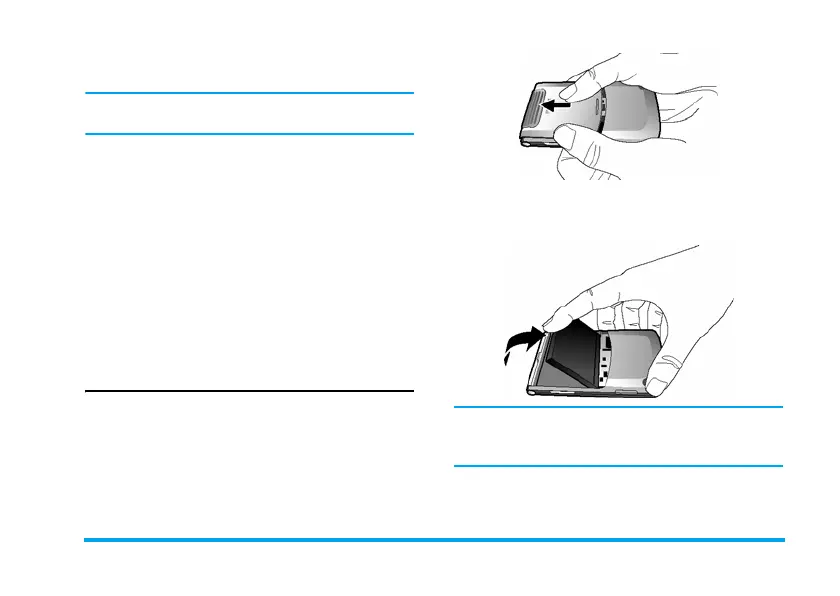
Remove the back cover
To insert the SIM card, you must first remove the
back cover. Press on the back cover with your
thumbs and slide the cover upwards. Then use your
free hand to lift up the back cover as shown below.
Remove the battery
Put your finger at the top of the battery and lift the
battery up from its slot.
You may lose all your personal settings if you
remove the battery when the phone is switched
on.


 To Next Page