Scanning
58 DocuMate 262 Scanner User’s Guide
6. Click the Scan Settings, Page Settings, and Advanced
Settings tabs, and select the settings you want.
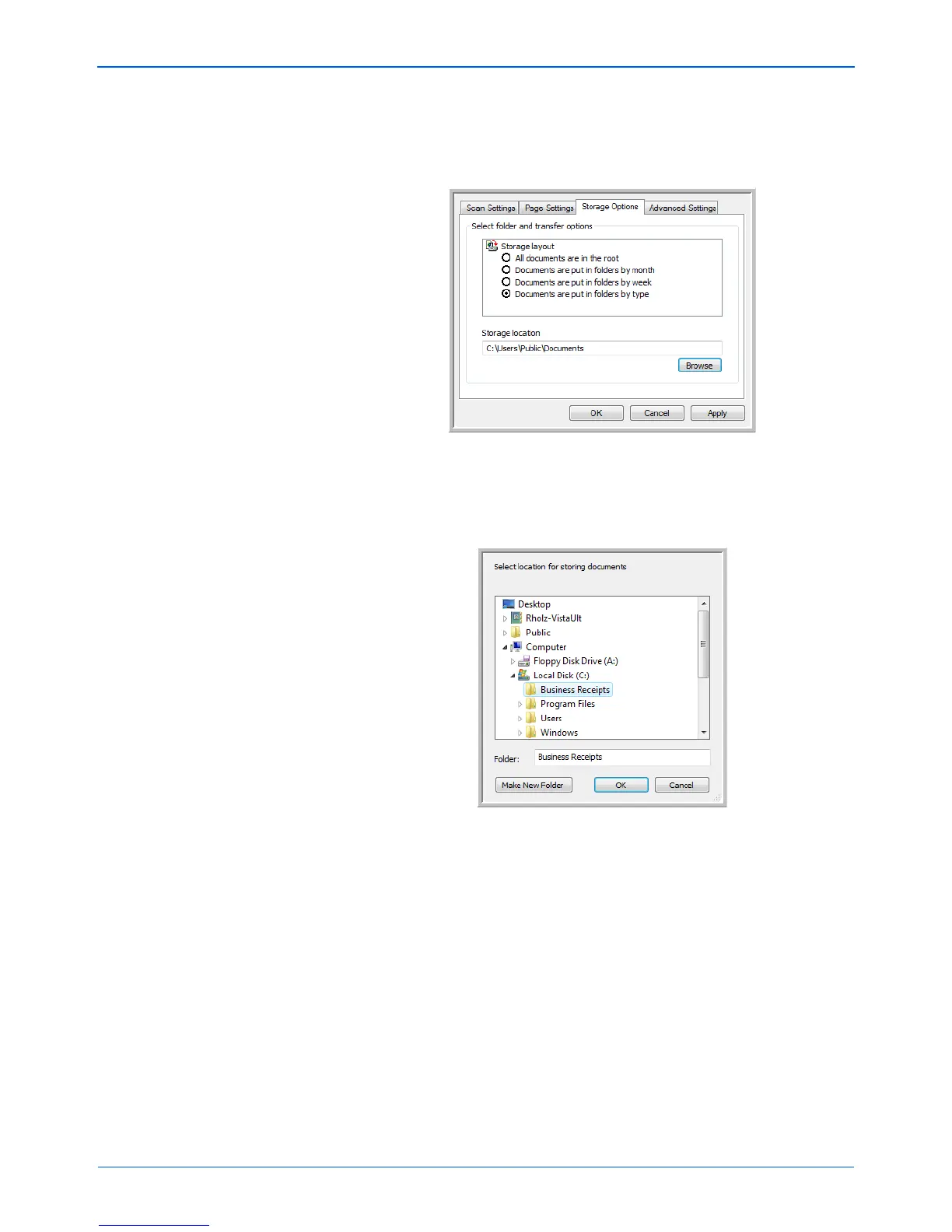
7. Click the Storage Options tab.
8. Click the Browse button.
9. Select the folder you created for storing the scanned
documents.
If you haven’t created the folder yet, you can click the Make
New Folder button and type the name for the new folder.


 To Next Page
 Loading...