Use of Flashlights and Lights
In any state, short press (TORCH) to turn on the flashlight, there are 3
brightness levels to choose from, short press (TORCH) repeatedly to
adjust the brightness and turn off the flashlight.
In any state, short press the (LAMP) button to turn on the lighting. There
are 3 brightness levels to choose from. Press (LAMP) repeatedly to adjust
the brightness and turn off the lighting.
Stereo headphone output
This machine is equipped with FM and Bluetooth/MP3 stereo headphone
outputs. Use 3.5 headphone jack.
Tip
Stereo will not turn on when the station is using a mono
radio or reception is weak
Bluetooth/MP3 Playback Function
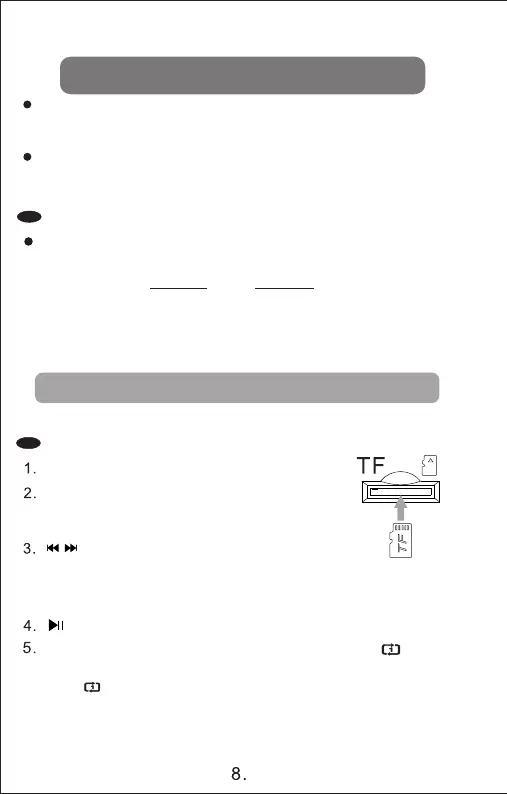
TF card mp3 player
Insert TF card with music files
Short press the (M) key to enter the TF card
MP3 playback state
Short press these two keys
Short press these two keys to select the previous and
next song [tuning also selects songs]. .Long press to achieve
fast rewind and fast forward kinetic energy
play/pause function button
In the TF playback state, long press the (BAND) key icon ( ) to
display and enter the single loop playback mode. Long press the
icon ( ) to close and enter all loop playback mode
6.
Quick song selection: In MP3 playback state, single turn the shuttle button
back and forth to select the previous or next song selection. Continuously
turn the shuttle for more than one second to select the previous 30 songs
or the next 30 songs.



 To Next Page