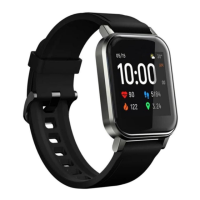
The Xiaomi Haylou LS02 is a waterproof smartwatch with heart rate monitoring capabilities.
Function Description
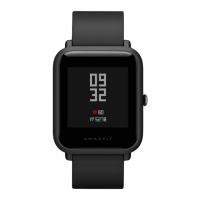
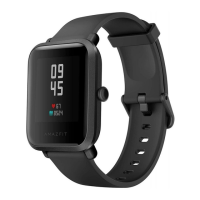
The smartwatch features a touch screen, a watch band, a function button, pogo pins for charging, and a heart rate sensor. It is designed to be paired with a smartphone via the Haylou Fit APP, allowing users to track various health and fitness metrics.
Important Technical Specifications
- Waterproof: The device is waterproof, though specific depth or duration ratings are not provided in the manual.
- Charging: Requires a charging cable and a qualified adapter with an output voltage of 5V and an output current of 0.5A or above.
- Connectivity: Connects via Bluetooth to the Haylou Fit APP.
- Sensors: Includes a heart rate sensor.
Usage Features
App Download & Pairing:
- To power on the watch, hold the function button. A QR code will appear on the screen.
- Scan this QR code with your phone to install the Haylou Fit APP. Alternatively, a QR code is provided in the manual for direct scanning.
- Open the Haylou Fit APP and add your device.
Important Notes for Pairing:
- Ensure Bluetooth is not turned off during the linking process.
- If you encounter issues adding a device or if the watch disconnects, hold the function button for 3 seconds and select the factory setting on the watch. Then, attempt to reconnect the watch to the device.
- Before initial use, fully charge the smartwatch for more than 2 hours.
General Navigation and Control:
- Quick Setting: From the Home Page, slide down from the top of the watch face to access Quick Setting.
- Control Panel: From the Home Page, slide up from the bottom of the watch face to open the Control Panel.
- Page Navigation: From the Home Page, slide right or left to move to the previous or next page.
- Return to Previous Page: When not on the Home Page, slide from the left edge to the right edge to return to the previous page.
- Watch Face Change: On the Home Page, touch and hold the screen for 3 seconds to enter the Watch Face Change interface.
- Power On/Off: Hold the function button for 3 seconds to power the device on or off.
- Return to Home Page: Press the function button to return to the Home Page (if only one page is open).
- Skip to Previous Page: Press the function button to skip to the previous page (if two pages are open).
- Workout Control: During a workout, press the function button to pause or resume your activity.
How to Wear:
- Position the watch approximately one finger distance from your carpus (wrist bone).
- Adjust the tightness of the watch band to ensure a comfortable and secure fit.
- Note: A loose band may negatively impact the performance of the heart rate sensor.
Maintenance Features
How to Charge:
- Charge the watch using the provided charging cable. Ensure that the pogo pins on the cable are properly aligned and in good contact with the watch's charging points.
- Use a qualified power adapter with an output voltage of 5V and an output current of 0.5A or higher.
- If the watch has not been used for an extended period, the charging icon might not appear immediately. In such cases, continue charging for over 1 minute until the icon displays.
- Always keep the pogo pins dry to prevent damage or charging issues.

 Need help?


 To Next Page
 General