EasyManua.ls Logo

Xiaomi M2116W1 - User Manual

Xiaomi M2116W1
11 pages
Print Icon
To Next Page IconTo Next Page
Loading...
Xiaomi Watch S1 Active User Manual
Question and Answer IconNeed help?

Do you have a question about the Xiaomi M2116W1 and is the answer not in the manual?

Summary

Product Overview

Connecting the Watch

How to Use

Basic Gestures

Explains swipe and press actions for navigating the watch interface.

Power Button Functions

Details the operations of the power button for turning on, off, and restarting.

Shortcut Button Functions

Describes the function of the shortcut button for accessing features like workout lists.

Charging the Watch

Functions

Provides guidance on accessing more detailed watch functions through the companion app.

Safety Precautions

Specifications

Regulatory Compliance Information

WEEE Information

Details about the disposal and recycling of electronic waste equipment.

EU Declaration of Conformity

States compliance with EU directives and provides relevant frequency information.

Safety Information

Caution

Lists important cautionary notes regarding battery handling and device safety.

Battery Safety

Provides specific guidelines and warnings for safe battery usage and disposal.

RF Exposure Information

Summary

Product Overview

Connecting the Watch

How to Use

Basic Gestures

Explains swipe and press actions for navigating the watch interface.

Power Button Functions

Details the operations of the power button for turning on, off, and restarting.

Shortcut Button Functions

Describes the function of the shortcut button for accessing features like workout lists.

Charging the Watch

Functions

Provides guidance on accessing more detailed watch functions through the companion app.

Safety Precautions

Specifications

Regulatory Compliance Information

WEEE Information

Details about the disposal and recycling of electronic waste equipment.

EU Declaration of Conformity

States compliance with EU directives and provides relevant frequency information.

Safety Information

Caution

Lists important cautionary notes regarding battery handling and device safety.

Battery Safety

Provides specific guidelines and warnings for safe battery usage and disposal.

RF Exposure Information

Overview

The Xiaomi Watch S1 Active is a smart watch designed to help users manage their daily activities, monitor health metrics, and stay connected. This user manual provides a comprehensive overview of its features, usage, and safety precautions.

Function Description

The Xiaomi Watch S1 Active serves as a versatile companion for both daily life and fitness pursuits. Its core functions include timekeeping, health monitoring, and smart notifications. The watch is equipped with a power button and a shortcut button for intuitive navigation and quick access to frequently used features. A display screen provides visual feedback and allows for interaction with the watch's interface. For health tracking, it incorporates a heart rate sensor area and a barometric pressure sensor, enabling the collection of vital data. Communication features include a speaker and microphone, suggesting capabilities for calls or voice commands. The watch is charged via a dedicated charging cable that connects to contact points on its back, ensuring a secure and efficient power-up.

Usage Features

The watch offers a range of interactive features designed for ease of use. To begin, users must press and hold the power button to turn on the watch. Connecting the watch to a smartphone is a straightforward process involving downloading a dedicated app, scanning a QR code, and pairing the devices via Bluetooth. The app serves as the central hub for managing the watch, accessing more services, and viewing detailed information and instructions.

Navigating the watch's interface is intuitive:

  • Press and hold the home screen: This action allows users to switch between different watch faces, personalizing the device's appearance.
  • Swipe up: From the home screen, swiping up opens the control panel, providing quick access to various settings and functions.
  • Swipe down: Swiping down from the home screen displays notifications, keeping users informed of incoming alerts and messages.
  • Swipe left/right: These gestures enable users to switch between different widgets on the home screen, offering quick glances at specific information like weather, activity summaries, or other customizable data.
  • Swipe right (on pages other than the home screen): This action serves as a "back" function, allowing users to return to the previous screen or ultimately to the home screen.

The Power Button has multiple functions:

  • Press and hold for about 3 seconds: This turns on the watch. When the watch is on, holding this button brings up options to turn off, restart, or restore the watch to factory settings.
  • Press and hold for about 15 seconds: This performs a force restart, useful for resolving unresponsive situations.
  • Press when on the home screen: This enters the function list, providing access to all the watch's applications and features.
  • Press when on other pages: This acts as a "back" button, returning the user to the home screen.

The Shortcut Button offers quick access to a predefined function:

  • Press when on the home screen: By default, this button enters the shortcut function, which is typically the workout list, allowing users to quickly start a fitness activity. This shortcut can often be customized via the companion app.

The watch is designed with a water resistance rating of 5ATM, meaning it can withstand depths of up to 50 meters. This makes it suitable for activities such as swimming in a pool or near the shore, and other shallow-water activities. However, it is not recommended for use in hot showers, saunas, or diving, and direct impact from swift currents during water sports should be avoided. The water-resistant function is not permanent and may decline over time. The watch screen does not support underwater operations, and any water contact should be wiped clean with a soft cloth before further use.

Maintenance Features

Proper maintenance ensures the longevity and optimal performance of the Xiaomi Watch S1 Active.

Charging:

  1. Placement: Place the watch on the charging cable, ensuring the contact points on both the watch's back and the charging cable align and make proper contact.
  2. Power Connection: Connect the USB connector of the charging cable to a standard adapter from a qualified manufacturer, with an output voltage of 5 V or higher.
  3. Charging Indication: The watch screen will light up and display a charging icon to confirm it's receiving power.

Charging Notes:

  • If the watch has been unused for an extended period and is unable to turn on, it may require approximately 1 minute of charging before the charging icon appears.
  • It is crucial to wipe the watch's contact points clean before charging to remove any residual sweat or moisture, which could interfere with the charging process or cause damage.

General Care and Safety:

  • Wearing Comfort: Wear the watch comfortably around the wrist, about one-finger width away from the wrist bone. Avoid wearing it too loosely, as this can affect the accuracy of data collected by the heart rate sensor.
  • Heart Rate Measurement: When measuring heart rate, keep the wrist still for accurate readings.
  • Skin Health: During daily use, avoid wearing the watch too tightly. Keep the contact area dry and regularly clean the strap with water. If any signs of redness or swelling appear on the skin due to contact with the watch, discontinue use immediately and seek medical assistance. Prolonged wear during high-intensity exercise may cause skin irritation due to friction; in such cases, remove the watch.
  • Charging Equipment: Always use the included charging cable and a certified power adapter from a qualified manufacturer.
  • Dry Environment: Ensure the power adapter, charging cable, and watch are in a dry environment during charging. Avoid touching them with wet hands or exposing them to rain or other liquids.
  • Magnetic Charging Cable: When the magnetic charging cable is connected to power, ensure no conductive substances are absorbed onto it, as this could cause a short circuit.
  • Temperature Range: Operate the watch within a temperature range of -10°C to 45°C. Extreme ambient temperatures (too high or too low) can cause the watch to malfunction.

Battery Safety:

The watch is equipped with a non-removable, built-in battery. Users should not attempt to disassemble, strike, or crush the battery. Exposure to sunlight, fire, or extreme ambient temperatures should be avoided to prevent explosion risks. If the battery shows any signs of swelling or fluid leakage, discontinue use immediately. Never dispose of the watch or its battery in fire. The watch and its accessories contain small parts and should be kept out of reach of children to prevent choking hazards or damage. The watch is not a toy. Used batteries should be disposed of according to local laws and regulations, not with household waste.

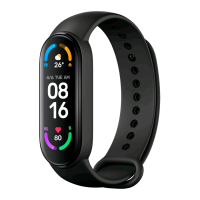
Xiaomi M2116W1 Specifications

General IconGeneral
BrandXiaomi
ModelM2116W1
CategoryWatch
LanguageEnglish

Related product manuals