
 Need help?
Do you have a question about the Xiaomi Mesh System AX3000 and is the answer not in the manual?
Connects the main router to the broadband modem using the WAN port and network cable.
Connect to the router's Wi-Fi and follow on-screen instructions via router.miwifi.com for setup.
Place and power on the satellite router to automatically establish wireless mesh networking.
Use the Mi Home/Xiaomi Home app to add mesh network devices to the main router.
Setup and discovery via physical placement and button press for wireless pairing.
Mesh networking setup using a network cable connection between routers.
Manage routers using the Mi Home/Xiaomi Home app for an enhanced user experience.
Explains the meaning of different LED indicator lights for Internet and System status.
Answers common questions regarding internet access, passwords, and factory resets.
Safety guidelines and restrictions for RF exposure and country-specific usage.
Compliance statements, certifications, and information on electronic waste disposal.
Provides technical specs and contact details for the manufacturer and importer.
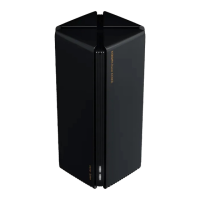
The Xiaomi Mesh System AX3000 is a networking device designed to provide extensive Wi-Fi coverage and a seamless internet experience throughout a home or office environment. This system utilizes mesh networking technology, allowing multiple routers to work together to create a single, unified network, eliminating dead zones and ensuring strong, stable Wi-Fi signals in every corner.
The primary function of the Xiaomi Mesh System AX3000 is to establish and manage a robust wireless network. It acts as a central hub for internet connectivity, distributing the signal to all connected devices. The system is particularly effective in larger spaces where a single router might struggle to provide adequate coverage. By deploying multiple AX3000 units, users can extend their Wi-Fi range significantly, ensuring consistent performance for activities like streaming, gaming, and video conferencing across multiple rooms.
The main router connects to your broadband modem, receiving the internet signal. Once configured, additional AX3000 units can be added to the network as satellite routers. These satellite routers automatically connect to the main router, either wirelessly or via an Ethernet cable, to expand the Wi-Fi coverage. This creates a "mesh" of interconnected routers, where devices can seamlessly switch between the nearest and strongest access point without experiencing interruptions. The system supports both 2.4 GHz and 5 GHz Wi-Fi bands, offering flexibility and optimized performance for various devices and usage scenarios.
The Xiaomi Mesh System AX3000 is designed for ease of use, from initial setup to ongoing management.
To begin, power on one of the AX3000 routers. Connect its blue WAN port to the LAN port of your broadband modem using the included network cable. If a broadband modem is not available, you can connect the network cable directly from the router's WAN port to an internet wall socket or an indoor network cable. Ensure the router is connected to a power socket.
Once the router is powered on and its system indicator turns white, you can configure it. Use a phone or computer to connect to the initial Wi-Fi network broadcast by the router. The Wi-Fi name can be found on the nameplate at the bottom of the router. After connecting to this initial Wi-Fi, you will typically be redirected to a configuration page. Follow the on-screen instructions to complete the setup process. If the configuration page doesn't appear automatically, open a web browser and navigate to router.miwifi.com to access it. This page will guide you through setting up your network name (SSID) and password.
Expanding your network with additional AX3000 units is straightforward. Place the other router(s) in rooms that require extended Wi-Fi coverage. Power on these satellite routers and allow them to boot up. They will automatically detect the main router and complete the wireless networking process, becoming satellite routers in your mesh system. For a potentially more stable connection, you also have the option to connect the satellite router's WAN port to the main router's LAN port using an Ethernet cable; the networking will then be automatically completed.
For an enhanced management experience, it is recommended to use the Mi Home/Xiaomi Home app. Connect your phone to the router's Wi-Fi, then open the app. Sign in to your Mi account and follow the on-screen instructions to pair the router with the app. The app provides user-friendly interaction, remote control capabilities, and access to more features for managing your mesh network. You can download the app by scanning a QR code or finding it in your device's app store.
The system offers multiple methods for establishing mesh networking, catering to different user preferences and scenarios:
Method 1 (Recommended - via Mi Home/Xiaomi Home app): Open the Mi Home/Xiaomi Home app, navigate to the "Mesh network devices" page of the main router, click "Add," and follow the in-app instructions to complete wireless networking. This method is intuitive and guided.
Method 2 (Manual Wireless Setup):
Method 3 (Wired Setup):
The Xiaomi Mesh System AX3000 incorporates features to help users diagnose and resolve common network issues, ensuring continuous and optimal performance.
The router features two key indicators: the Internet Indicator and the System Indicator, which provide visual feedback on the device's status.
Internet Indicator:
System Indicator:
Cannot access the Internet after configuration:
router.miwifi.com. Use the network diagnosis tool to identify and fix the problem.Forgetting the router's management password:
Resetting the router to factory settings:
These features ensure that users can easily set up, manage, and troubleshoot their Xiaomi Mesh System AX3000, providing a reliable and expansive Wi-Fi network for their needs.
 General
| Wi-Fi Standard | Wi-Fi 6 (802.11ax) |
|---|---|
| Frequency Bands | 2.4GHz, 5GHz |
| Maximum Speed | 2976 Mbps |
| RAM | 256 MB |
| Mesh Technology | Yes |
| Security | WPA3 |
| MU-MIMO | Yes |
| OFDMA | Yes |
| Beamforming | Yes |
| Dimensions | 97 x 97 x 222 mm |
| Antenna | Internal antennas |
| Ports | 1x WAN, 3x LAN (all Gigabit) |
| Coverage | Up to 4, 000 sq ft (per unit) |
| Storage | 128 MB |








 To Next Page