 Need help?
Do you have a question about the Xiaomi Mi AIoT Router AX3600 and is the answer not in the manual?
 General
| Product type | Portable router |
|---|---|
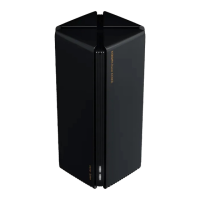
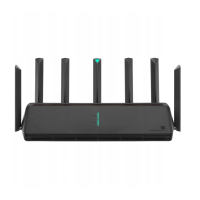
| Product color | Black |
| LED indicators | LAN |
| Internal memory | 512 MB |
| Processor cores | 4 |
| Processor model | Qualcomm IPQ8071A |
| Built-in processor | Yes |
| Processor frequency | 1400 MHz |
| Processor manufacturer | Qualcomm |
| Modulation | BPSK, CCK, DBPSK, DQPSK, DSSS, OFDM, QPSK |
| Wi-Fi band | Dual-band (2.4 GHz / 5 GHz) |
| Wi-Fi standards | 802.11a, 802.11b, 802.11g, Wi-Fi 4 (802.11n), Wi-Fi 5 (802.11ac), Wi-Fi 6 (802.11ax) |
| Top Wi-Fi standard | Wi-Fi 6 (802.11ax) |
| WLAN data transfer rate (max) | 2402 Mbit/s |
| Antennas quantity | 7 |
| Networking standards | IEEE 802.3, IEEE 802.3ab, IEEE 802.3u |
| Ethernet LAN interface type | Gigabit Ethernet |
| DSL WAN | No |
| Ethernet LAN (RJ-45) ports | 3 |
| Security algorithms | WPA-PSK, WPA2-PSK |
| Mobile operating systems supported | Android |
| Storage temperature (T-T) | -40 - 70 °C |
| Operating temperature (T-T) | 0 - 40 °C |
| Storage relative humidity (H-H) | 5 - 90 % |
| Operating relative humidity (H-H) | 10 - 90 % |
| Power source type | AC |
 Weight and Dimensions
| Depth | 408 mm |
|---|---|
| Width | 133 mm |
| Height | 177 mm |
Connect to the Wi-Fi using a mobile phone or computer without a password.
Access the landing page for connecting to the Internet via browser.
Enter broadband account name and password provided by your provider.
Set a new Wi-Fi name and administrator password.
Scan QR code to download Mi WiFi app and Mi Home/Xiaomi Home app.
Connect smartphone to router's Wi-Fi and log in to Mi account.
Connect Mi Smart Home device and add via Mi Home app.
Troubleshoot Mi Home app detection issues for smart home devices.
Steps to resolve internet connectivity issues after setup.
Recovery steps if the administrator password is forgotten.
Instructions on how to perform a factory reset on the router.
Explanation of the meaning of different router indicator lights.
 To Next Page