Specifications
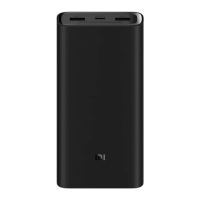
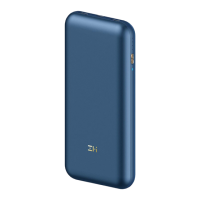
Model: PB2050SZM
Cell Type: Rechargeable lithium-ion polymer cell
Cell Capacity: 20000 mAh 3.7 V 74 Wh Rated Capacity: 12000 mAh (5 V/4 A)
Input Port: Type-C Output Port: USB-A/Type-C
Input: 5 V=3 A 9 V=3 A 12 V=3 A 15 V=3 A 20 V=2.25 A
Output: 50 W Max.
USB-A (Single Port): 5 V=3 A 9 V=2.23 A 12 V=1.67 A 10 V=2.25 A Max.
USB-A (Dual Port): 5 V=3 A
Type-C: 5 V=3 A 9 V=3 A 10 V=5 A 12 V=3 A 15 V=3 A 20 V=2 A
Triple Port: 5 V=4 A 9 V=3 A 10 V=5 A 12 V=3 A 15 V=3 A 20 V=2 A
Operating Temperature: 5°C to 35°C
Item Dimensions: 15.35 cm × 7.35 cm × 2.75 cm
Precautions
Please fully charge this power bank before using it for the first time.
Use an appropriate charger and USB cable (Mi brand products are recommended)
when charging the power bank or using it to charge other devices.
Do not leave this power bank unattended while charging, and unplug it from the
power supply before going out or leaving it unattended for a long time.
Once this power bank is fully charged, or after it is used to fully charge another
device, unplug the charging cable in a timely manner to prevent damage.
When the battery level is not displayed after pressing the button, it may be because
the power bank is in protective mode. Try plugging in an external charger to restore
the power bank.
When not using this power bank for a long time, please keep its battery level in the
range of about 25–50%, and store it in a cool and dry environment. Avoid long-term
storage when the power bank is fully charged or empty, so as to extend its battery
life.
When using this product to supply power to high-power appliances such as
laptops, it is recommended to use it at an ambient temperature of 5~30°C.
4
Illustrations of the product, accessories, and user interface in the user manual are
for reference purposes only. The actual product and functions may vary due to
product enhancements.





 To Next Page