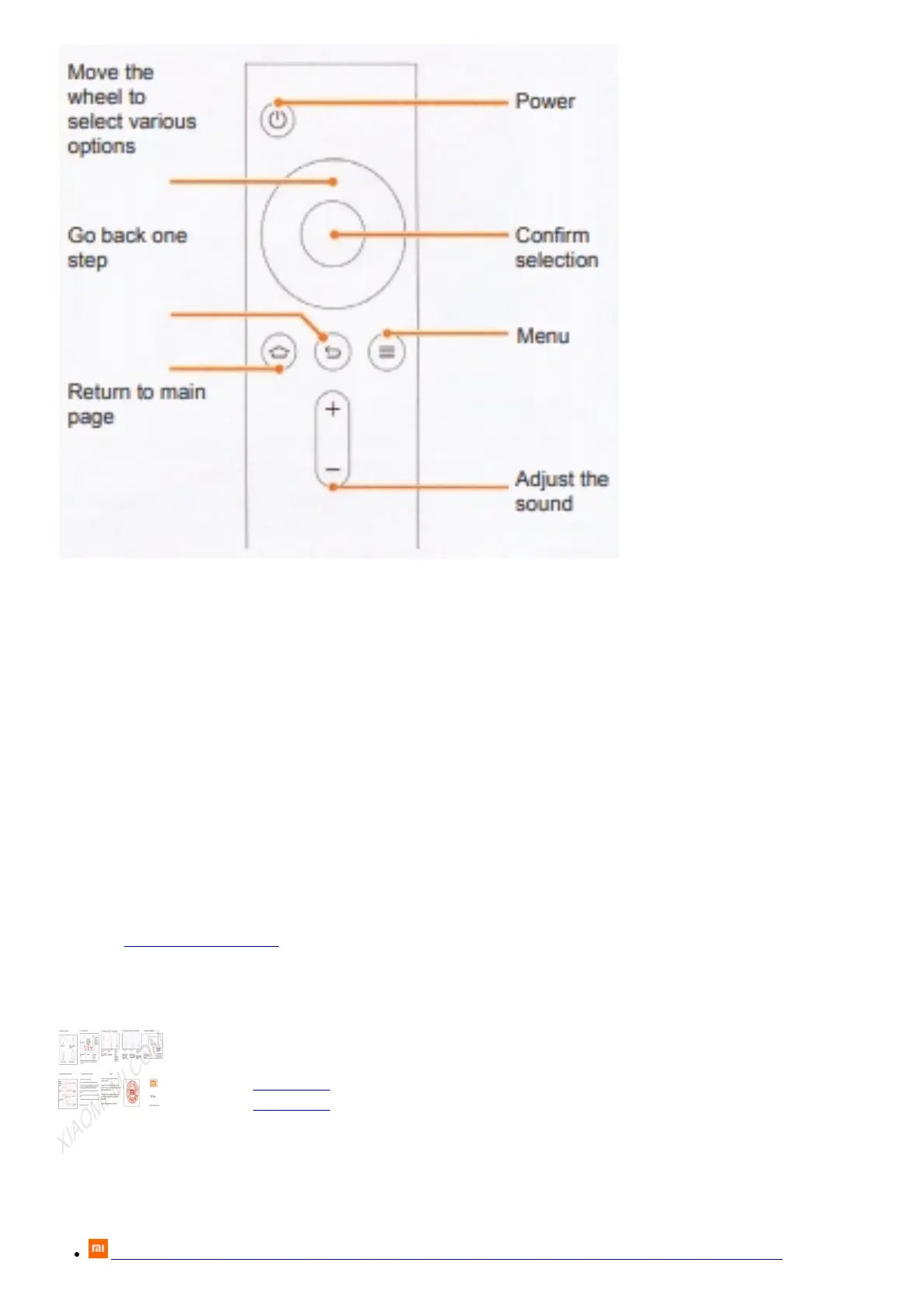
Using the remote control
Home: a rapid return to the main page
Menu: demonstration of the interface and various functions
For example: on the main interface page, enter in the search that you want to view, and displays a selection of these
videos; there are large selection of other videos on the home screen.
Move selection and different options: focus control (up, down,left, right).
While viewing, press Right, Left allow forward or rewind the file back.
Confirm selection: while watching the video lets stop him pause.
Return: Return one step back
NEW!
There is a mobile version of the Mi remote control!
Leave the last trouble with the remote control, you can now remotely controls Mi Box via a mobile app!
Open the Mi Store, locate and install on your mobile phone «Remote Control» application. And you’ll be pleasantly
surprised!
Our Web: www.Xiaomi-Mi.com
File Downloads
User Guide
Mi Box
Download [optimized]
Download
References
Xiaomi Global Community — all information about official and original devices Xiaomi Mi


 To Next Page