Real-time Surveillance
Playback
Infrared Night Vision
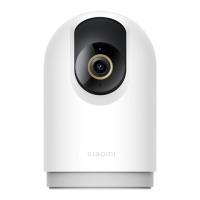
In the camera's plugin of the Mi Home/Xiaomi Home app, you can
view the real-time surveillance screen, adjust the sharpness of the
image, adjust the horizontal angle of the camera, capture and record
the screen, and make remote calls.
The camera can automatically switch to night vision mode at night
according to the change in ambient light. With built-in infrared night
vision lights, the camera can clearly capture images/videos in the
dark.
The playback feature of the camera is only available when a
compatible microSD card is installed.
The camera will automatically start recording video once a microSD
card is installed and the camera is turned on. In the camera's plugin
in the Mi Home/Xiaomi Home app, tap the playback buon to enter
the playback interface, then drag the timeline to select the time
period to be played back. The maximum supported playback speed
is 16×.
06






 To Next Page