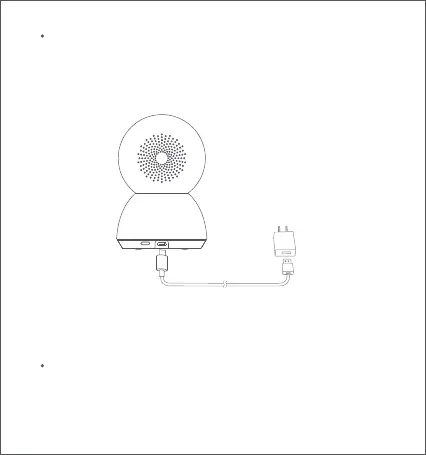
Turning on the camera
RESET
Indicator
5
Plug the charging cable into Micro-USB power port on the back, the
camera automatically turns on, and the indicator quickly blinks orange.
Note: When the camera is working, do not turn the lens of the camera nor
force it to rotate. If the positioning of the lens is inaccurate, please calibrate
it in the Xiaomi Home app.
Blue: Connected successfully/Working properly
Blinking blue: Network error
Quickly blinking orange: To be connected
Slowly blinking orange: Updating






 To Next Page