How to Use
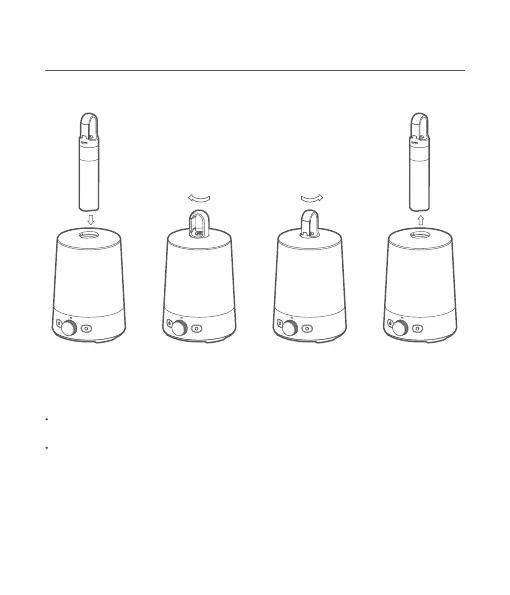
Installing and unlocking the secondary light
How to use the primary light
Turning on/off
Rotate clockwise
to lock
Rotate counterclockwise
to unlock
Press and hold the on/off buon for 0.5 seconds to turn the primary light on. By default, the
primary light will be in the mode and state it was in when it was last turned off.
Press and hold the on/off buon again for 0.5 seconds to turn the primary light off.
Switching modes
While the primary light is on, press the mode buon to cycle through the five modes:
always-on, breathing, candle flicker, flowing color and color light.
5



 To Next Page