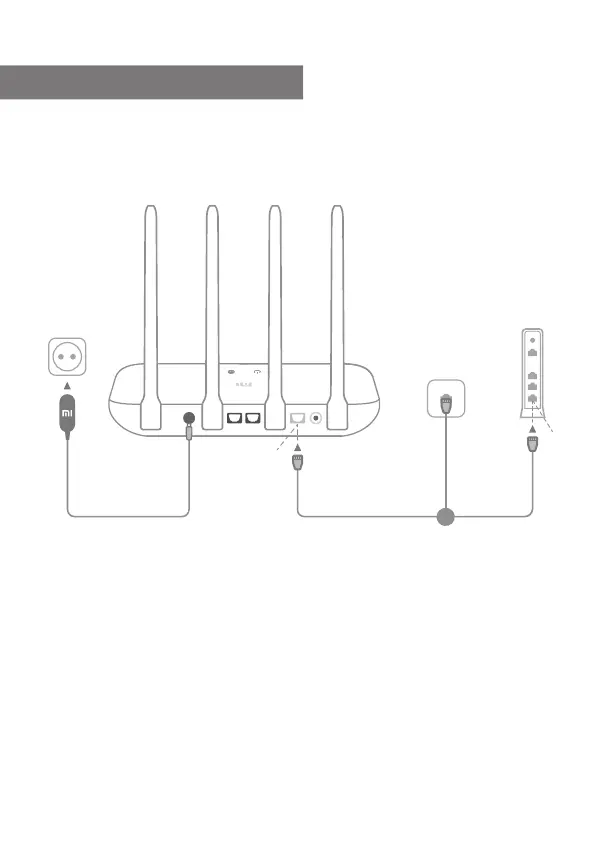
Power on the router, then connect the Internet (WAN) port
to the DSL/Cable/satellite modem
* If your Internet network is connected via an Ethernet cable at the wall, connect
the Ethernet cable directly to the Internet (WAN) port on the router
Step 1: Connect the cables
3
Connect
the power
DSL/Cable/
Satellite modem
Internet
LAN
Or
English


 To Next Page