Thank you for choosing POCO M4 5G
Long press the power buon to turn on the device.
Follow the on-screen instructions to configure the device.
For more information, visit our official website:
www.mi.com/global/service/userguide
MIUI (for POCO)
POCO M4 5G comes pre-installed with MIUI (for POCO), our customized
Android-based OS which provides frequent updates and user-friendly
features based on suggestions from over 200 million active users worldwide.
For more information, please visit en.miui.com
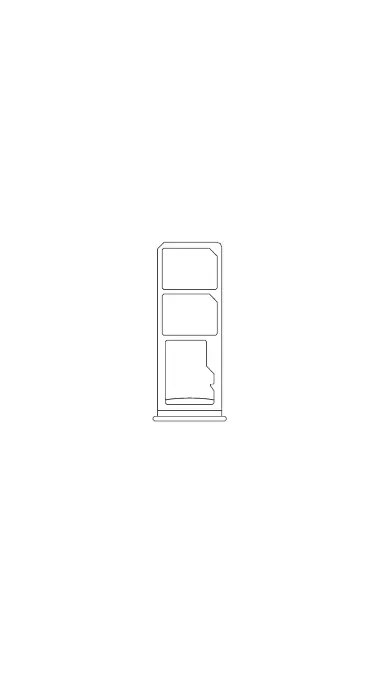
SIM Card Tray:
Micro SD
Nano-SIM
Nano-SIM
About Dual SIM:
• Supports Dual SIM cards with no carrier restrictions, dual 5G ①
• Supports Dual Nano-SIM card slots, either card can be set as the primary
card
• Supports Dual SIM 5G/4G/3G/2G
• Supports Dual SIM VoLTE ②
Note ①: 5G connection depends on country, carrier, and user environment.
Note ②: VoLTE depends on carrier’s network and related service deployment.
• Please do not insert non-standard SIM cards into the SIM card slot. They
may damage the SIM card slot.
• WARNING: Do not disassemble this device.


 To Next Page