Need help?
Do you have a question about the Xiaomi Redmi 2 and is the answer not in the manual?
This document provides an overview of the Redmi 2 smartphone, detailing its physical components, initial setup, and information regarding its operating system, user benefits, and security updates. It also includes instructions for inserting SIM and SD cards.
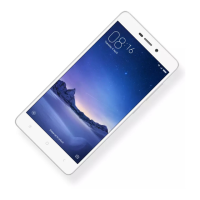
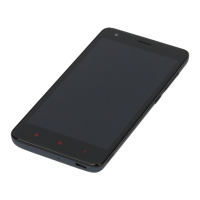
The Redmi 2 is a smartphone designed for general use. Its physical layout includes an Audio 3.5 mm port, a camera, volume buttons, and an On/Off button located on the right side. The bottom of the device features a USB port, a Home button, a Back button, and a Tasks button, along with an LED indicator.
To activate the smartphone for the first time, users need to press and hold the power button for a few seconds. Following this, the device will guide the user through a setup process to configure the smartphone according to their preferences.
The Redmi 2 runs on MIUI, an operating system that comes with a variety of useful applications and features. MIUI is developed with input from a large community of users, indicating a focus on user experience and functionality. For more detailed information about MIUI and its features, users can visit www.miui.com/features.php.
The device offers specific benefits for "VIP users." These users can visit uvip.xiaomi.cn to authorize their VIP status, which grants them access to special benefits and services.
Regarding security, the document emphasizes the importance of keeping the phone system updated. Users are advised to contact individual official local Mi affiliates or utilize the self-updating feature of the Mi phone to ensure their device's software is current. For information on ROM updates and instructions, users can scan the provided QR code.
The manual provides a clear, step-by-step guide for inserting SIM and SD cards, which is a crucial part of preparing the phone for use.
For general information about Xiaomi products, users can visit http://xiaomi-mi.com. For more specific information related to the Redmi 2, users are directed to xiaomi-mi.com.
The manual provides essential information for new users, covering the basic operation, system features, and maintenance aspects like software updates and card installation. The inclusion of a QR code for ROM and instructions, along with specific URLs for VIP services and general information, highlights the company's approach to providing accessible support and resources. The step-by-step instructions for inserting SIM and SD cards, complemented by clear diagrams, ensure that users can easily set up their device for communication and storage.
 General
| Display Size | 4.7 inches |
|---|---|
| Resolution | 720 x 1280 pixels |
| Processor | Quad-core 1.2 GHz Cortex-A53 |
| RAM | 1 GB / 2 GB |
| Internal Storage | 8 GB / 16 GB |
| Expandable Storage | microSD, up to 32 GB |
| Rear Camera | 8 MP |
| Front Camera | 2 MP |
| Battery Capacity | 2200 mAh |
| Operating System | Android 4.4.4 (KitKat), upgradable to 5.1 (Lollipop) |
| Dimensions | 134 x 67.2 x 9.4 mm |
| Weight | 133 g |
| SIM | Dual SIM (Micro-SIM, dual stand-by) |
| Technology | GSM / HSPA / LTE |
| 2G bands | GSM 850 / 900 / 1800 / 1900 - SIM 1 & SIM 2 |
| 3G bands | HSDPA 850 / 900 / 1900 / 2100 |
| 4G bands | LTE band 1(2100), 3(1800), 7(2600), 38(2600), 39(1900), 40(2300), 41(2500) |
| GPRS | Yes |
| EDGE | Yes |
| Type | IPS LCD |
| Multitouch | Yes |
| Protection | Corning Gorilla Glass 2 |
| Chipset | Qualcomm MSM8916 Snapdragon 410 |
| CPU | Quad-core 1.2 GHz Cortex-A53 |
| GPU | Adreno 306 |
| Primary Camera Features | LED flash, HDR |
| Video | 1080p@30fps |
| Alert types | Vibration; MP3, WAV ringtones |
| Loudspeaker | Yes |
| 3.5mm jack | Yes |
| WLAN | Wi-Fi 802.11 b/g/n, Wi-Fi Direct, hotspot |
| Bluetooth | 4.0, A2DP |
| GPS | Yes, with A-GPS, GLONASS, BDS |
| Radio | FM radio |
| USB | microUSB 2.0 |
| Sensors | Accelerometer, gyro, proximity, compass |
| Messaging | SMS(threaded view), MMS, Email, Push Mail, IM |
| Browser | HTML5 |
| Java | No |
| Colors | Black, White, Pink, Yellow |
| Speed | HSPA, LTE |
| Battery | Li-Ion 2200 mAh battery |