EasyManua.ls Logo

Xiaomi RMMNT27NF - User Manual

Xiaomi RMMNT27NF
15 pages
Print Icon
To Next Page IconTo Next Page
Loading...
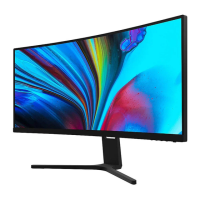
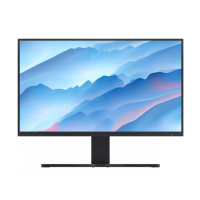
Mi Desktop Monitor 27''
User Manual

Questions and Answers

  • M
    Ms. Danielle GarciaAug 9, 2025
    Why is the image on my Xiaomi RMMNT27NF Monitor dark and how to fix it?
    • M
      Melvin MorganAug 9, 2025
      If the image on your Xiaomi Monitor is dark, it might be that the brightness and contrast settings are not properly adjusted. Try adjusting the brightness and contrast to see if that resolves the issue.
  • R
    Randy BensonAug 15, 2025
    What to do if Xiaomi Monitor indicator is blinking but there is no image on the screen?
    • H
      harrisstephanieAug 16, 2025
      If the indicator light is blinking but there's no image on the screen, it could be due to a lack of signal and the monitor entering sleep mode. Here are a few things to check: * Ensure that the computer is turned on. * Verify that the computer’s graphics card is functioning correctly. * Confirm that the VGA or HDMI cable is securely plugged in.
  • J
    Jonathan BennettAug 21, 2025
    What to do if my Xiaomi RMMNT27NF displays 'current resolution is not supported'?
    • R
      Robin OwenAug 22, 2025
      If your Xiaomi Monitor displays a message indicating that the current resolution is not supported, the resolution settings are incorrect. Use the specified recommended resolution settings to resolve this.
  • C
    Christopher GoodwinAug 27, 2025
    Why does my Xiaomi RMMNT27NF image appear jittery or have ripples?
    • A
      Andrew GomezAug 28, 2025
      If the image on your Xiaomi Monitor is jittery or has ripples, it's likely due to interference. Keep the monitor away from electronic devices that may cause electrical interference.
  • J
    John MendozaSep 2, 2025
    How to unlock the OSD on a Xiaomi RMMNT27NF Monitor when the menu is disabled?
    • O
      obrienjoshuaSep 2, 2025
      If you're unable to open the menu and the Xiaomi Monitor displays that the OSD is locked up, it means the menu is disabled. To enable the menu and unlock the OSD, press and hold the 5-way navigation button for 5 seconds in any direction.

Summary

Product Overview

Monitor Overview

Provides a visual guide to the monitor's components and ports.

Package Contents

Lists all items included in the product packaging.

Installation

Installing the Base

Step-by-step instructions for assembling and attaching the monitor stand.

Instructions

Connections

Details on how to connect the monitor using VGA, HDMI, and audio ports.

Turning On;Off and Indicator Status

Explains how to power the monitor and interpret the indicator light status.

5-way Navigation Button Operations

Describes the functions of the 5-way navigation button for menu control.

Menu Description

Shortcut Button Configuration

Explains how to customize the shortcut button functions for quick access.

Main Menu Settings

Details the available options within the monitor's main menu for display and system settings.

Precautions

General Safety and Handling

Important guidelines for safe usage, placement, and maintenance of the monitor to prevent damage or injury.

Troubleshooting

Specifications

Eye Health and Ergonomics

Eye Health Recommendations

Advice on preventing eyestrain and discomfort during prolonged monitor use.

Low Blue Light Mode

Information on the monitor's feature to reduce blue light emission for eye comfort.

Regulatory Compliance

WEEE Disposal and Recycling

Information on the proper disposal and recycling of electronic waste.

EU Declaration of Conformity

Statement of compliance with EU directives and norms for the product.

Xiaomi RMMNT27NF Specifications

General IconGeneral
BrandXiaomi
ModelRMMNT27NF
CategoryMonitor
LanguageEnglish

Related product manuals