10
Alexa Built-in (ABI) Devices
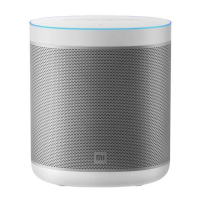
Alexa is the intelligent cloud-based voice AI that you can talk to on Xiaomi Smart
Speaker Lite. Speak to Alexa through Xiaomi Smart Speaker Lite to play music, hear
the news, check weather, control smart home devices, and more. Alexa lives
delivered to your device automatically. Using Alexa on this smart speaker is simple
and hands-free—just ask, and Alexa will respond instantly.
Setting Smart Voice Controls
After connecting the speaker to the Mi Home/Xiaomi Home app, you will be
automatically directed to the login page of the Amazon account. Log in to your
Amazon account and link it with the speaker to fully enjoy smart voice controls and
content services.
You can also select Activate Alexa in settings of the speaker's plugin in the Mi Home/
Xiaomi Home app to log into the Amazon account and link it with the speaker to
activate Alexa.
Restoring Factory Settings
To restore the speaker to factory settings, press and hold the play/pause button on it
for 5 seconds or delete it from the Mi Home/Xiaomi Home app.
The speaker can be deleted from the Mi Home/
Xiaomi Home app in two ways:
Go to settings of the speaker's plugin in the Mi Home/Xiaomi Home app, and select
Delete device to delete the speaker.
Press and hold the speaker's device card on the homepage of the Mi Home/Xiaomi
Home app, and select Delete device to delete the speaker.
Unlinking from Alexa
If you want to stop using Alexa smart voice controls and content services, select
Activate Alexa to exit the Amazon account and unlink the speaker from the account.
To resume the above services, just reconnect the speaker again.


 To Next Page