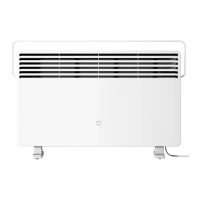
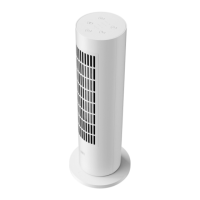
This document outlines the features, usage, and maintenance of the Xiaomi Smart Tower Heater Lite. It is designed for indoor use in well-insulated spaces or for occasional heating.
Function Description
The Xiaomi Smart Tower Heater Lite is a fan heater designed to provide warmth. It offers multiple operating modes, including constant temperature, hot, warm, and natural modes, to suit various heating preferences. The constant temperature mode allows users to set a desired temperature, and the heater will adjust its operation to maintain that temperature. If the room temperature exceeds the set temperature in constant temperature mode, the heater may automatically switch to natural mode.
The device also includes an oscillation function, allowing it to distribute heat across a wider area. For safety and convenience, it features a child lock function, which can be enabled or disabled through a combination of button presses or by power cycling the device.
The heater is equipped with Wi-Fi connectivity, enabling smart control through the Mi Home/Xiaomi Home app. This app allows users to manage the device remotely, offering enhanced convenience. The Wi-Fi indicator provides visual feedback on the connection status, such as awaiting connection, connected, reconnecting, updating firmware, or disabled.
A scheduled standby feature allows users to set the heater to turn off automatically after a specified duration (one, two, four, or eight hours). This function helps conserve energy and provides peace of mind.
Usage Features
Before initial use, it is essential to ensure the heater is in good condition, with no damage to the power cord. The heater requires a 220-240 V AC electrical outlet with a rated current of at least 10 A, and it is recommended to plug it directly into a wall socket without sharing a power strip with other appliances to avoid overloading the circuit. The power button on the back of the heater must be pressed to connect it to power, indicated by a notification sound. For optimal heating performance when blowing air directly, it is recommended to place the heater one to two meters away from the user.
To turn the heater on or off, the on/standby button is used. When turning off from a heating mode, the heater will dissipate heat for 30 seconds before entering standby mode. If the heater has been running in natural mode for 30 seconds, pressing the on/standby button will directly put it into standby. If the heater is dissipating heat and the on/standby button is pressed, it will return to its previously used settings. For long-term storage, it is crucial to ensure the heater is in standby mode, then turn it off and unplug the power cord.
The mode button allows users to cycle through the different heating modes: constant temperature, hot, warm, and natural. The temperature button is used to adjust the expected temperature in constant temperature mode, with options for 22°C, 24°C, 26°C, and 28°C.
The scheduled on/off button enables users to set a scheduled standby time, cycling through one, two, four, eight hours, or off. If no operation is performed within three seconds of selecting a scheduled standby time, the indicator will display the expected temperature. If no expected temperature is set, the indicator will go out. Once a scheduled standby time is selected, the indicator will show the remaining time when the scheduled on/off button is pressed again within three seconds.
The oscillation button controls the oscillation mode, allowing the heater to rotate and distribute warmth.
The child lock function can be activated or deactivated by pressing and holding the oscillation button and the mode button simultaneously for seven seconds. Alternatively, disconnecting and reconnecting the power supply will also disable the child lock.
Wi-Fi connectivity can be enabled or disabled by pressing and holding the scheduled on/off button and the oscillation button simultaneously for seven seconds. To reset the Wi-Fi, press and hold the scheduled on/off button and the temperature button simultaneously for seven seconds until the heater enters network configuration mode.
The Mi Home/Xiaomi Home app facilitates smart control. Users can scan a QR code or search for the app to download and install it. After opening the app and tapping the "+" icon, users can follow the prompts to add the device. The app's version may be updated, so users should follow the current app instructions. If the QR code scan fails, the heater can be added by searching for its name in the app.
Maintenance Features
Proper care and maintenance are crucial for the longevity and safe operation of the Xiaomi Smart Tower Heater Lite. Before cleaning, the heater must be turned off, unplugged, and allowed to cool down completely.
For cleaning, a clean, soft, and damp cloth should be used to wipe the heater. It is important to avoid dripping water into the heater during cleaning. The heater should not be disassembled for care and maintenance purposes. After cleaning, ensure the heater is completely dry before using or storing it.
To prevent damage to the surface coating and rusting, avoid bumping or scratching the heater. When storing the heater for an extended period, it should be kept in its original packaging in a dry place.
The manual also provides troubleshooting steps for common issues, such as the heater not connecting to power, not working, or making unusual sounds. For instance, if the heater does not work due to high temperature, it automatically turns off for safety; users should ensure the air inlet and outlet are clear and unobstructed, then restart it after it cools down. If the heater makes unusual sounds when moved or shaken, it is likely the steel ball in the anti-tilt switch rattling, and placing the heater steadily on a level surface will resolve this. For Wi-Fi connection issues, resetting the Wi-Fi or keeping the phone and heater close to the Wi-Fi signal source are recommended solutions.


 To Next Page
 General
 Weight and Dimensions