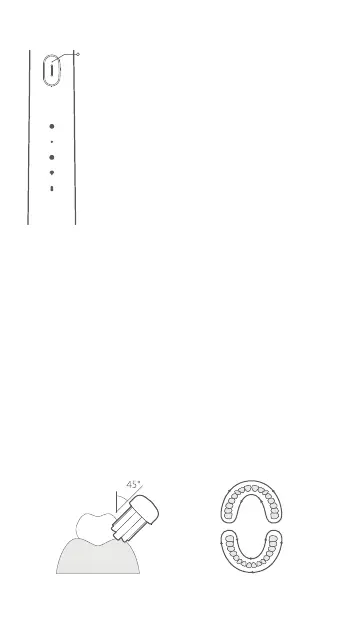
3. Turning on/turning off/changing modes
4. Healthy brushing
• Position the toothbrush head at an angle of 45° to the gum
line and slowly move it along the teeth and gum line.
• During brushing, the toothbrush pauses briefly every 30
seconds to prompt the user to change the brushing position.
• When there is no active pause during use, the toothbrush
will automatically turn off aer running for 2 minutes.
• Within 10 seconds aer the
toothbrush is turned on, press the
buon to turn it off when the
toothbrush is in the whitening
polish mode or aer changing it to
the mode.
• When your toothbrush runs for
over 10 seconds, press the buon
to turn it off under any mode.
Turning on: Press the buon to turn on the
toothbrush.
Changing modes: Aer the toothbrush is turned on,
press within 10 seconds to
change modes.
Pause: Press the buon for one second to pause the
toothbrush. The toothbrush will
automatically turn off aer being
paused for 30 seconds.
Turning off:
15



 To Next Page