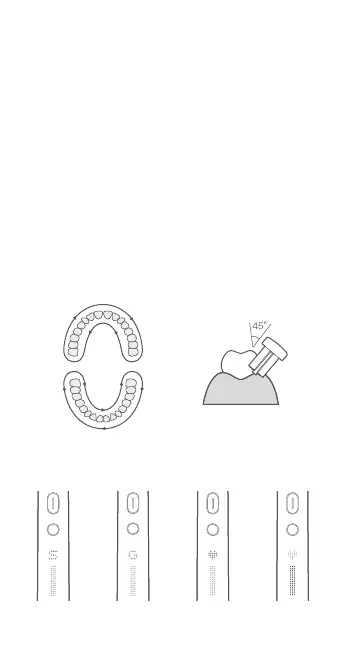
Position the toothbrush head at an angle of 45° to the gum line,
and slowly move it along the teeth and gum line.
While brushing, the toothbrush pauses briefly every 30 seconds to
prompt the user to change the brushing position.
When there is no active pause during use, the toothbrush will
automatically turn off once the brushing mode ends. The brushing
duration can be set via the Mi Home/Xiaomi Home app.
Healthy brushing
Restoring factory settings
Press and hold the on/off button and the mode/power button at the
same time for five seconds, and the smart LED screen will turn white
until the buttons are released. This will restore the product to the
factory settings.
Note: To fully experience functions of the toothbrush’s app, please
connect to the Mi Home/Xiaomi Home app in time after restoring
factory settings.
Power indicatorGentle modeStandard mode Custom mode
Screen icons
·
·
·
6


 To Next Page