11
How to Use
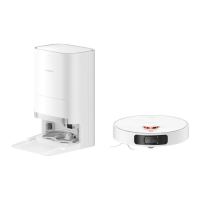
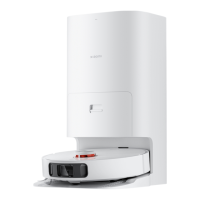
During a vacuuming and mopping task, the robot vacuum will automatically
return to the mop-cleaning station to clean the mop pads in the middle of
the process, and resume the task aer cleaning.
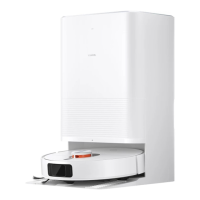
When the task is completed, the robot vacuum will automatically return to
the mop-cleaning station to clean the mop pads, and then air-dry the mop
pads and start charging aer the air-drying is completed.
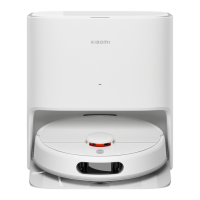
If the robot vacuum is on standby at the mop-cleaning station, you can
select the cleaning feature in the Mi Home/Xiaomi Home app. The station
will start cleaning the mop pads and then air-dry the mop pads, and begin
charging aer the air-drying is completed.
Note: Cleaning could not be performed in case of power failure of the
mop-cleaning station, empty clean water tank, the robot vacuum away from
the mop-cleaning station, full dirty water tank, or the washboard not being
installed in place. Please check before cleaning.
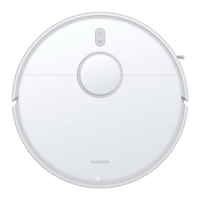
Press and hold the buon on the robot vacuum for 3 seconds, the
indicator lights up, and the robot vacuum then turns on. When the robot
vacuum is paused and not in charging, press and hold the buon for 3
seconds to turn it off.
Turning on/off Cleaning the mop pads
The robot vacuum will automatically return to the station to charge when
it is running low on baery during a cleaning task. Once fully charged, the
robot vacuum will resume cleanup where it le off.
When the robot vacuum is in standby mode, press the buon to make
the robot vacuum return to the station to recharge.
During a cleaning task, pressing the buon will pause the cleanup.
Press the buon again, and the robot vacuum will return to the
station to charge.
Returning to the station to charge
When the robot vacuum is running, press any buon to pause, and then
press the buon to resume working.
Pause
Press and hold the buon for 3 seconds during charging or pause to
enable or disable the child lock feature.
Child lock function
You can select the cleaning modes and the suction level via the Mi
Home/Xiaomi Home app.
Mode or suction level preferences
Resuming cleanup
The robot vacuum has the feature of resuming the cleanup. If the robot
vacuum starts running low on baery during a cleaning task, it will
automatically return to the station to charge. Once the robot vacuum is
fully charged, it will resume the cleanup where it le off. If the cleanup is
manually ended or if you move or operate the robot vacuum when it is
being charged or returning to the station, the cleanup will not be resumed.
Aer the robot vacuum quickly creates a map or returns to the station to
charge aer completing a cleaning task, the updated map will be
automatically saved in the Mi Home/Xiaomi Home app. Once a map has
been created, you can use the app to split, merge areas, or customize
room names.
Saving maps
Sleep mode
While not being charged, the robot vacuum will automatically enter sleep
mode aer ten minutes of inactivity, and will automatically turn off if it is in
sleep mode for over six hours. Press any buon or use the app to wake it up.
Note: The robot vacuum will not enter sleep mode when docked on the
mop-cleaning station.


 To Next Page
 Loading...