Get Started in Three Easy Steps
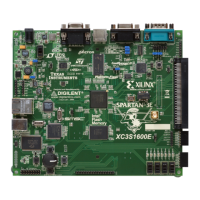
1. Connect Power to the Board
• Connect positive and negative terminals on +5V supply
2. Initialize FPGA
• Press power switch to apply power to the board
• The “circling lights” design is automatically loaded into the FPGA
from the Intel
®
StrataFlash
®
and displayed on the LEDs
3. Exercise MultiBoot Feature
• Depress the momentary MultiBoot pushbutton to load a second
design — the “Roll the Dice” game
• Press switch again for another roll!
Getting Started
Insert the Resource CD into your CD-ROM drive to download
complete information about the Sample Pack Board.
Xilinx Spartan-3E FPGA
Sample Pack
1 Attach Power to Power Supply Connector
2 Power On / Initialize FPGA
3 Press MultiBoot Switch
PN 0010896

 Need help?
 General

 To Next Page