
EasyManua.ls Logo

Xlink Bluetooth Gateway - User Manual

Xlink Bluetooth Gateway
3 pages
Print Icon
To Next Page IconTo Next Page
Loading...
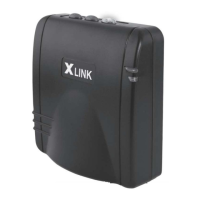
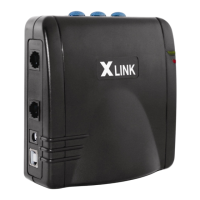
XLink BT
Oplional
USB Portto
your
computer used
for
updating softi;are
Hold down
a
line
button
until
it starts
flashing
rapidly.
Question and Answer IconNeed help?

Do you have a question about the Xlink Bluetooth Gateway and is the answer not in the manual?

Xlink Bluetooth Gateway Specifications

General IconGeneral
BrandXlink
ModelBluetooth Gateway
CategoryGateway
LanguageEnglish

Summary

Light Indicator Reference

Green Solid Indicator

Indicates the unit is powered and running normally.

Red Flashing Indicator

Indicates an active phone line plugged into an incorrect port.

Blue Light Indicators

Covers solid (connected), fast flashing (pairing mode), and slow flashing (paired but out of range) states.

Pairing Cell Phones with Your XLink

Pairing Steps

Instructions for connecting cell phones via Bluetooth, including searching and PIN entry.

Dialing with Your XLink

Answering Calls on Your XLink

Managing the Bluetooth Connection

Related product manuals