EasyManua.ls Logo

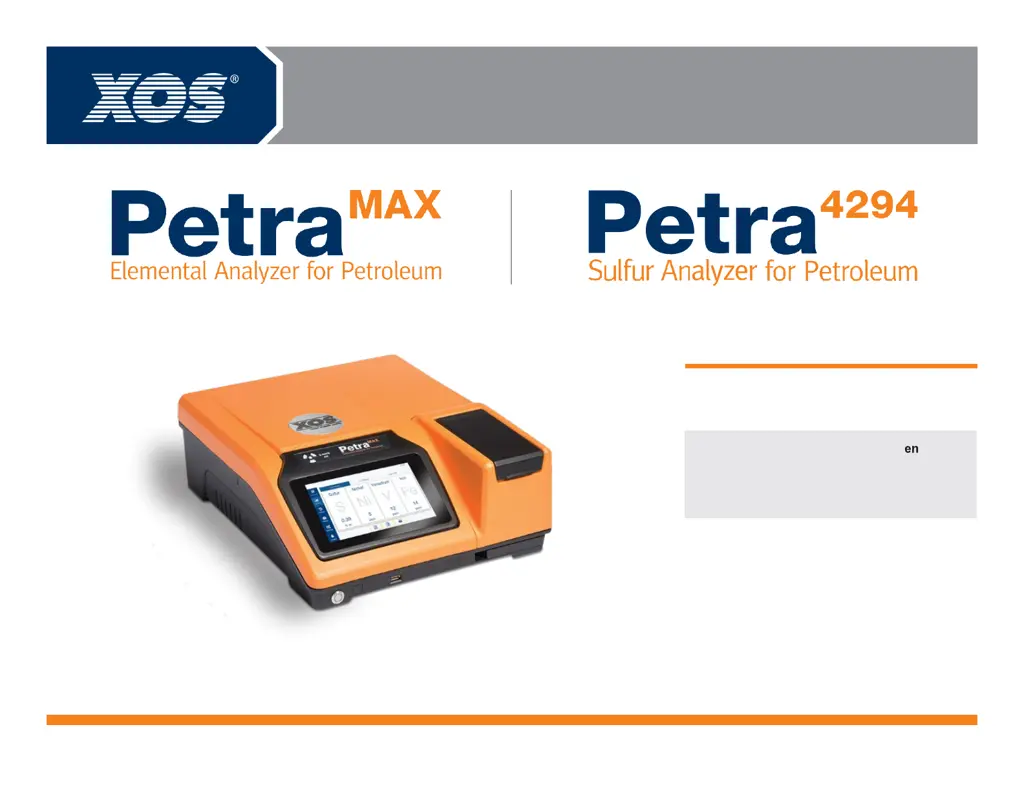
XOS Petra 4294 - User Manual

Default Icon
25 pages
Print Icon
To Next Page IconTo Next Page
Loading...
801377-02 | REV D
better analysis counts
Basic User Manual

Questions and Answers

  • K
    Kimberly Williams MDAug 8, 2025
    What to do if XOS Measuring Instruments show result out of calibration range?
    • L
      Lauren JonesAug 8, 2025
      If you receive a 'Result out of calibration range' warning on your XOS Measuring Instruments, it typically means that either the wrong calibration curve was used for the measurement, or the sample itself is incorrect. To resolve this, remake the sample, validate that you're using the correct calibration curve for the measurement, and then re-measure the sample.
  • J
    Jeffrey SimmonsAug 13, 2025
    Why is measurement inconclusive on XOS Measuring Instruments?
    • B
      Bruce SmithAug 13, 2025
      If your XOS Measuring Instruments provide an inconclusive measurement error, it's often due to an unusual spectrum or insufficient sample in the cup. Try creating a new sample and re-measuring to see if the error disappears. If it persists, attempt to measure a validation sample.
  • R
    Ronald RobinsonAug 17, 2025
    How to fix empty cup warning on XOS Measuring Instruments?
    • K
      Kimberly StoneAug 17, 2025
      The 'Empty Cup' warning on your XOS Measuring Instruments indicates that there is not enough sample in the cup. To fix this, remake the sample ensuring there is enough material and then measure again.
  • K
    Kristina PalmerAug 22, 2025
    What to do if XOS Measuring Instruments show internal error?
    • J
      Juan SanchezAug 22, 2025
      An internal error on your XOS Measuring Instruments, accompanied by a prompt to ensure the door is closed, usually means the sample lid wasn't closed at start-up. To resolve this, open and close the sample lid, then restart the device by pressing the power button. If the error continues, contact XOS Technical Support.
  • K
    Karen ParksAug 28, 2025
    Why do XOS Measuring Instruments show error IOP temp high?
    • B
      bryanjackAug 28, 2025
      The '[ERROR[ERROR_IOP[Error IOP temp High]]' message on your XOS Measuring Instruments indicates a high internal temperature. This is often caused by blocked vents, fan failure, or a hot ambient temperature. To address this: 1. Ensure there are at least 6 inches of clearance around the analyzer. 2. Inspect the fan filter; if it's dirty, clean or replace it.
  • T
    Teresa HerringSep 2, 2025
    What to do if XOS Measuring Instruments tube is hot?
    • L
      Lisa KellerSep 2, 2025
      The message 'Tube is hot' on your XOS Measuring Instruments indicates that the x-ray tube has overheated due to continuous use. The analyzer will not measure until the tube cools below 60°C. Stop measuring and wait for the message to disappear, which will happen automatically when the tube temperature decreases. Pressing OK will not clear the message while the tube temperature is close to 65°C.

Summary

Safety

Important Symbols and General Notes

Defines symbols and provides general notes for safe operation and restrictions.

Specific Safety Warnings

Additional Hazard Warnings and Compliance

Installing Petra

Unpacking the Instrument

Lists contents of the shipping crate and recommendations for retaining packaging.

Initial Analyzer Setup

Manual Date & Time Setting

Operation

Sample Cup and Film Preparation

Completing a Measurement

Inputting Sample Name and Presets

Viewing Measurement Results

Creating a Preset

Preset Creation Steps

Guides through creating new measurement presets, naming, selecting matrix, time, and calibration.

Setting Measurement Parameters

Opening Results

Transfer to USB

Transferring Data via USB

Transfer Data through the Network

Accessing Network Data Folders

Maintenance

Inlet Fan Filter Replacement

Troubleshooting

Warning Message Solutions

Troubleshooting guide for common warning messages and their solutions.

Error Message Solutions

Troubleshooting guide for common error messages and their solutions.

Specific Error Message Handling

XOS Petra 4294 Specifications

General IconGeneral
BrandXOS
ModelPetra 4294
CategoryMeasuring Instruments
LanguageEnglish

Related product manuals