EasyManua.ls Logo

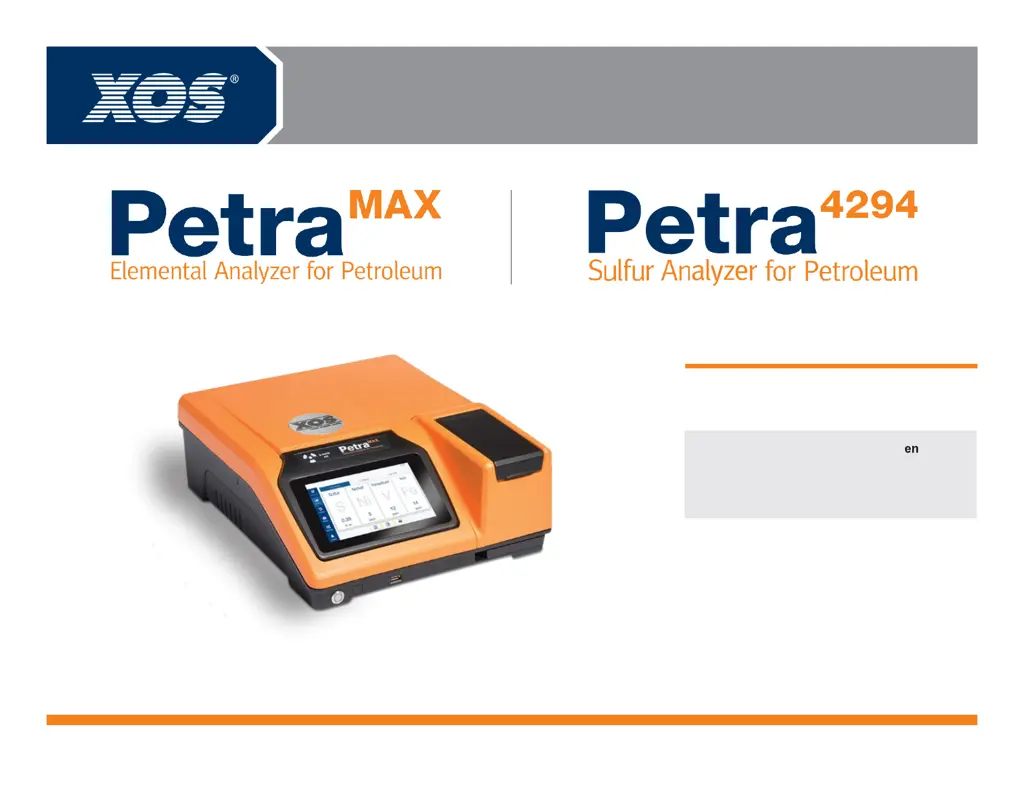
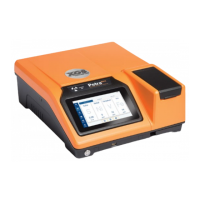
XOS Petra MAX - User Manual

XOS Petra MAX
25 pages
Print Icon
To Next Page IconTo Next Page
Loading...
801377-02 | REV D
better analysis counts
Basic User Manual

Questions and Answers

  • A
    Alyssa GoodAug 5, 2025
    What to do if XOS Measuring Instruments show result out of calibration range?
    • M
      Mary SmithAug 5, 2025
      If you receive a 'Result out of calibration range' warning on your XOS Measuring Instruments, it typically means that either the wrong calibration curve was used for the measurement, or the sample itself is incorrect. To resolve this, remake the sample, validate that you're using the correct calibration curve for the measurement, and then re-measure the sample.
  • L
    Leslie RobinsonAug 9, 2025
    Why is measurement inconclusive on XOS Measuring Instruments?
    • K
      Kimberly HarrisAug 9, 2025
      If your XOS Measuring Instruments provide an inconclusive measurement error, it's often due to an unusual spectrum or insufficient sample in the cup. Try creating a new sample and re-measuring to see if the error disappears. If it persists, attempt to measure a validation sample.
  • R
    radkinsAug 15, 2025
    How to fix empty cup warning on XOS Measuring Instruments?
    • N
      Nicole Rojas MDAug 15, 2025
      The 'Empty Cup' warning on your XOS Measuring Instruments indicates that there is not enough sample in the cup. To fix this, remake the sample ensuring there is enough material and then measure again.
  • K
    Keith SimpsonAug 19, 2025
    What to do if XOS Measuring Instruments show internal error?
    • J
      Jose VillaAug 19, 2025
      An internal error on your XOS Measuring Instruments, accompanied by a prompt to ensure the door is closed, usually means the sample lid wasn't closed at start-up. To resolve this, open and close the sample lid, then restart the device by pressing the power button. If the error continues, contact XOS Technical Support.
  • P
    Patrick ValentineAug 25, 2025
    Why do XOS Measuring Instruments show error IOP temp high?
    • J
      Jennifer LaraAug 25, 2025
      The '[ERROR[ERROR_IOP[Error IOP temp High]]' message on your XOS Measuring Instruments indicates a high internal temperature. This is often caused by blocked vents, fan failure, or a hot ambient temperature. To address this: 1. Ensure there are at least 6 inches of clearance around the analyzer. 2. Inspect the fan filter; if it's dirty, clean or replace it.
  • K
    karen21Aug 30, 2025
    What to do if XOS Measuring Instruments tube is hot?
    • M
      michellejacksonAug 30, 2025
      The message 'Tube is hot' on your XOS Measuring Instruments indicates that the x-ray tube has overheated due to continuous use. The analyzer will not measure until the tube cools below 60°C. Stop measuring and wait for the message to disappear, which will happen automatically when the tube temperature decreases. Pressing OK will not clear the message while the tube temperature is close to 65°C.

Summary

Safety Information

Important Symbols Explained

Explains warning, caution, and informative symbols used in the guide for safety and operation.

Safety Warnings Overview

General warnings to ensure safe operation and user safety while using the instrument.

Operational Warnings Overview

Warnings for best practices and optimal performance to avoid analyzer damage or data errors.

General Operational Notes

Dangers, Warnings, and Cautions

Radiation Exposure Risks

Caution regarding X-ray production during normal use and the need for qualified personnel.

Hazardous Sample Handling

Instructions for handling hazardous samples, including storage, disposal, and PPE.

Beryllium Exposure Risks

Information about beryllium in the X-ray detector and potential health hazards.

Electrical Exposure Dangers

Thermal Exposure Dangers

California Proposition 65 Warning

Radiation Safety Compliance

System Specifications

PetraMAX Range and Applications

Details on the range, limit of detection, and applications for the PetraMAX analyzer.

Petra4294 Range and Applications

Details on the range, limit of detection, and applications for the Petra4294 analyzer.

Product Technical Specifications

Specifications covering method compliance, measurement time, calibration, and data output.

Installation and Initial Setup

Unpacking the Instrument

Instructions and checklist for unpacking the analyzer and its included accessories.

Powering on the Analyzer

Step-by-step guide for connecting power and turning on the analyzer.

Power Supply Warnings

Important warnings regarding the use of correct power supplies and adapters.

Initial Analyzer Configuration

Setting the Date and Time

Explains the importance and methods for setting the analyzer's date and time for accurate data.

Automatic Time Synchronization

Describes how to automatically synchronize the analyzer's time via a network connection.

Manual Time Configuration

Details the process for manually setting the date and time if network sync is not used.

Optional Device Connectivity

Analyzer Operation

Starting the Instrument

Step-by-step guide for powering on and initiating the analyzer's startup sequence.

Critical Operation Warnings

Important warnings during operation, such as not unplugging the power supply.

Sample Preparation Guide

Procedures for preparing samples, including cup preparation and film placement.

Shutting Down the Instrument

Instructions on how to properly power off the analyzer unit.

Sample Film Selection

Completing a Measurement

Inputting Sample Information

Viewing Measurement Results

Side Cover Operation Warning

Creating Measurement Presets

Accessing Settings Menu

Navigation path to the analyzer's settings menu.

Using the Preset Manager

Instructions for accessing and managing measurement presets.

Creating a New Preset

Steps involved in creating a new custom measurement preset.

Configuring Preset Parameters

Accessing Measurement History

Viewing Scan History

How to access and view past measurement scans from the history log.

Browsing Measurement Files

Procedure for locating and opening measurement files not in the recent history.

Transferring Data to USB

Navigating to Settings for Transfer

Steps to access the settings menu to initiate data transfer.

Initiating USB Data Transfer

Process for selecting and copying data files to a USB drive.

Safely Removing USB Drive

Instructions for safely ejecting the USB drive after data transfer.

Selecting Data Folders for USB Copy

Copying Files to USB Drive

Ejecting USB Drive from Unit

Transferring Data via Network

Locating Analyzer IP Address

Instructions on how to find the analyzer's IP address from the Status screen.

Network Data Access Path

Guidance on accessing data through the network using the analyzer's IP address.

Network Data Folder Access

Network Login Credentials

Read-Only Network Data

Maintenance Procedures

Cleaning the Analyzer Interface

Steps for cleaning the sample interface and ensuring optimal results.

Sample Interface and Detector Care

Guidance on cleaning the sample basket and avoiding damage to the detector hardware.

Drip Tray Management

Information on the drip tray's function in capturing leaks and its maintenance.

Consumables and Accessories

Reorderable Consumables List

A list of consumables included with the analyzer and their XOS part numbers.

Replacement Parts Information

Ordering Spare Parts from XOS

Instructions on how to contact XOS Service for ordering spare parts.

Sample Basket Management

Replacing Sample Basket Window Film

Steps for replacing the sample basket window film when damaged or contaminated.

Inlet Fan Filter Maintenance

Fan Filter Replacement Schedule

Recommendation for annual fan filter replacement, or more often if the area is dusty.

Onsite Service and Parts

Service Parts List

List of parts commonly serviced or replaced during onsite maintenance.

Troubleshooting Guide

Handling Warning Messages

Common warning messages, their causes, and recommended solutions.

Resolving Error Messages

Common error messages, their causes, and recommended solutions.

High Internal Temperature Error

Contacting XOS Support

XOS Petra MAX Specifications

General IconGeneral
Battery LifeUp to 8 hours
MatrixSolid, Liquid
Concentration Rangeppm levels to 100 wt.%
DetectorSDD
TechniqueX-ray fluorescence (XRF)
Storage Temperature-20°C to 60°C
DisplayTouchscreen LCD
ConnectivityUSB

Related product manuals