XOS | 801377-02 | Rev D | English Page 8 of 22
First Time Turning Analyzer On
The very first time the Petra is turned on, you will need to
create an administrator user
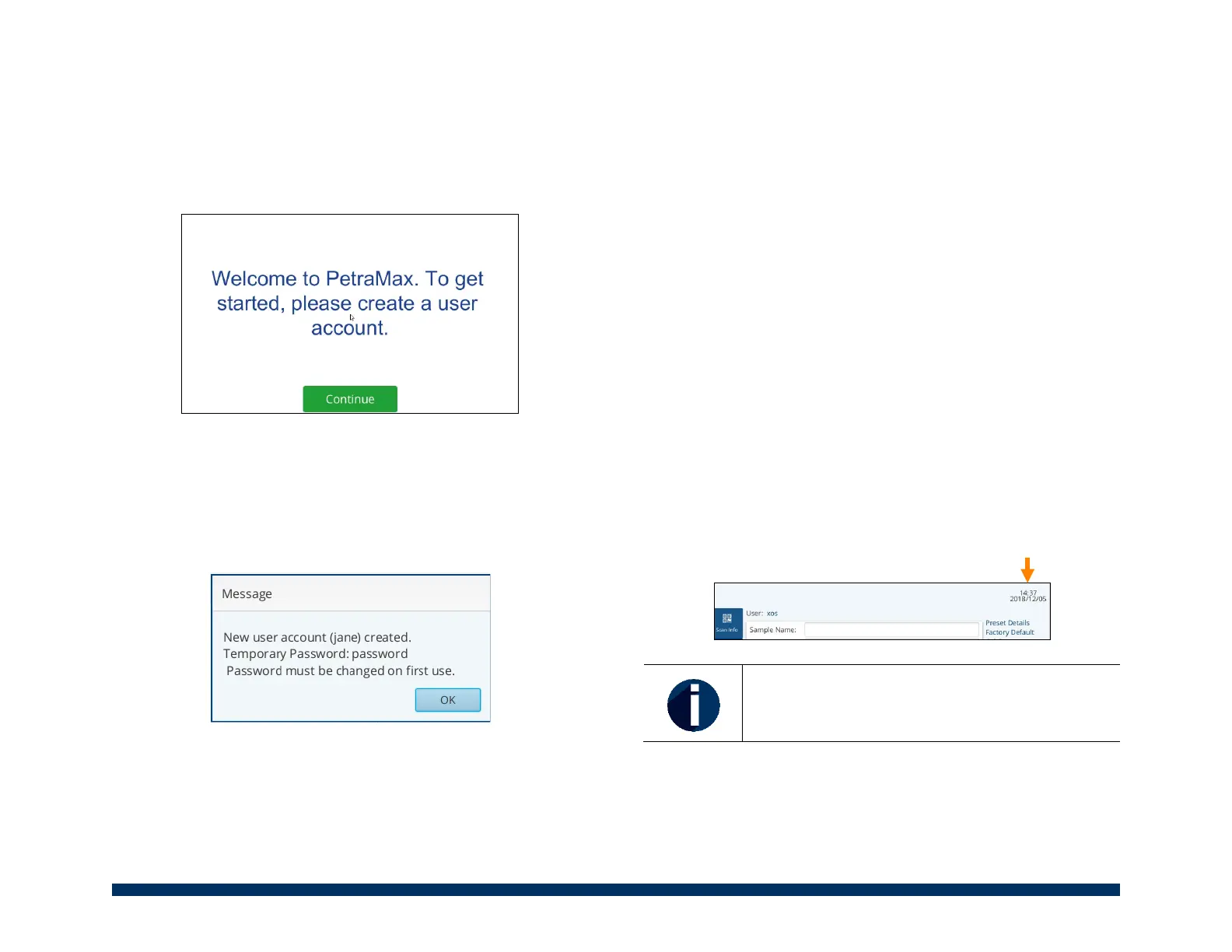
1. Select ‘Continue’ on the Welcome screen.
2. U
sing the virtual keyboard type in an administrator user
name, twice.
3. Select ‘Save’.
4. There will be a pop-up that states that the account was
created. The temporary password will be password.
Select ‘OK’ to continue.
5. On the login screen, input newly created administrator
user name and password.
6. Now change the password. Type in the temporary
password (password) and input a new password, twice.
• The password is not recoverable by XOS.
7. Select ‘Save’ when done.
8. Now you are login and can start using the analyzer
Setting the Date & Time
Data files created during measurements are coded with the
date and time the measurement was initiated. It is critical that
the date and time of the unit are correct because the unit time
stamps all measurements, and for auditing purposing, this
needs to be correct.
T
here are two ways to set the date and time on the analyzer:
1. Automatic time and date update:
a. Before powering up the unit, connect the unit to
the company’s internet – connected network.
The unit will automatically attempt to
synchronize with time servers on the internet.
b. Now power up unit.
c. When the unit fully starts up, on the Mai
n
s
creen notice that the time and date should be
set properly.
When using the automatic time and date
function, it will use the UTC (Universal Time
Coordinated).
2. M
anually set time and date: (if not plugging unit int
o
net
work)


 To Next Page