Thank you for purchasing the XP-Pen tablet. Our product user manual currently supports English,
Russian, Japanese, German, Korean, Chinese, Italian, Spanish, and French. We apologize if your
preferred language is not supported
{ I. Product Overview}
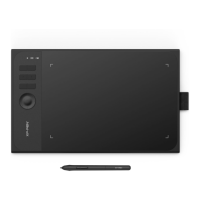
Overview
Image 1-1: Overview
(1). Status indicator light
a. Blinking: Tablet connects to computer; indicator light will blink about every 3 seconds.
b. Solid: Stylus is in range.
c. No light: Stylus is out of detection range.
(2). Express keys
(3). USB cable
(4). Active work area
(5). Battery free stylus














 To Next Page