EasyManua.ls Logo

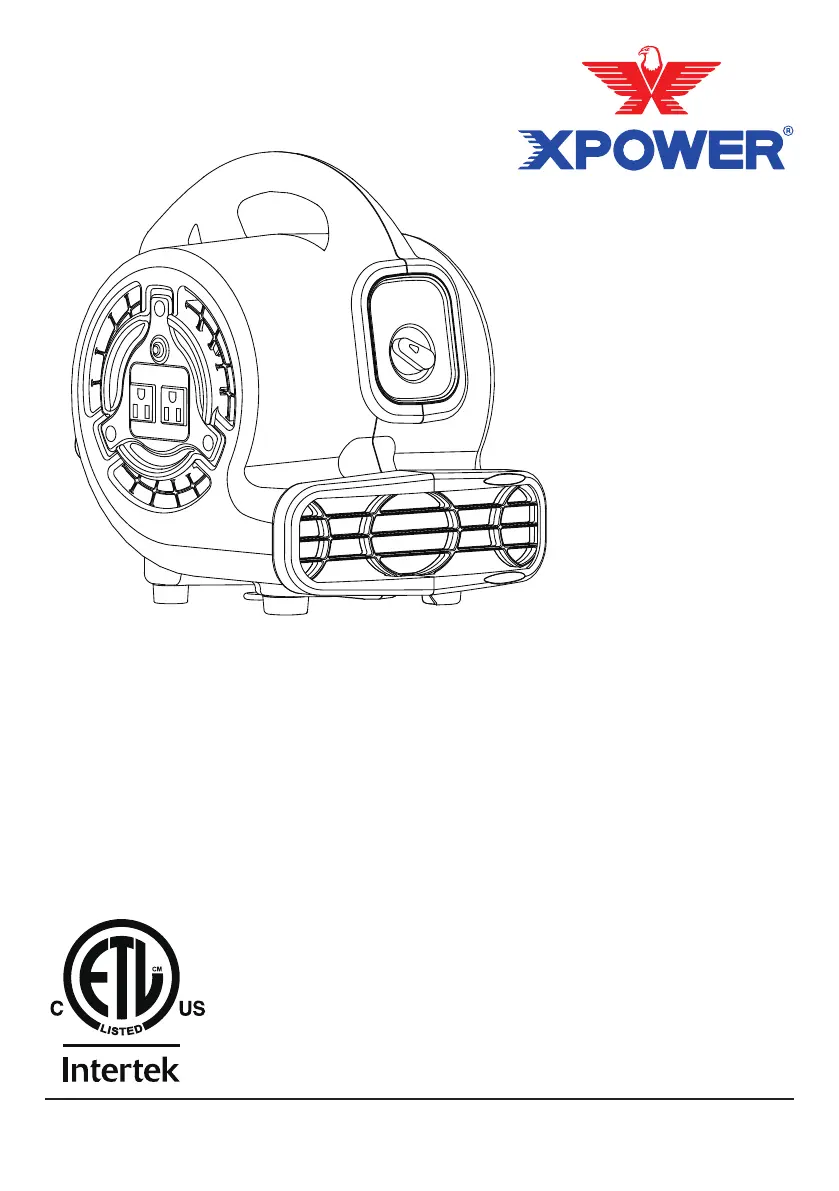
XPower P-80 Series - User Manual

XPower P-80 Series
28 pages
Print Icon
To Next Page IconTo Next Page
Loading...
Air Mover Owner's Manual
Soplador de Aire Manual de Usuario (Página 10)
Brasseur d’Air Manuel d'Emploi (Page 20)
Model / Modelo / Modèle:
P-80 Series, P-130 Series, P-230 Series
(115V 60HZ)
Read and save these instructions
Lea y guarde estas instrucciones
Lisez et gadez ces instructions
www.xpower.com | 1-(855)-855-8868 | info@xpower.com
Index: NA-1-A2
Edition: 4.2.Final

Questions and Answers

  • K
    Kathleen FergusonJul 28, 2025
    What to do if my XPower P-80 does not start?
    • J
      Jim SanchezJul 28, 2025
      If your XPower Dehumidifier doesn't start, first, ensure it's receiving power by checking the power supply. Next, make sure the power cord is correctly plugged in by removing and reconnecting it. If the unit has been working under extreme temperature, turn it off, unplug it, and allow it to cool down to a normal temperature. Also, if you're using the additional electrical receptacle (daisy chain), check if its circuit breaker has tripped; if so, remove all appliances from the receptacle and press the reset button. Lastly, ensure the timer switch is set to the “ON” position and not “0”.
  • A
    allisonvasquezAug 4, 2025
    Why does my XPower Dehumidifier unit run but the speed is abnormal?
    • M
      Melissa ParkerAug 5, 2025
      If your XPower Dehumidifier runs at an abnormal speed, the air inlet or outlet might be blocked. Clear any obstructions to restore normal operation.
  • A
    aaroncoffeyAug 12, 2025
    What to do if my XPower Engine air mover does not start?
    • L
      Laura AndersonAug 13, 2025
      If the XPower Engine air mover doesn't start, first, ensure it's receiving power by checking the power supply. Next, verify the power cord is securely plugged in; if not, remove and reconnect it. If the unit has been operating in extreme temperatures, turn it off, unplug it, and allow it to cool down. Also, if you're using the additional electrical receptacle (daisy chain), check if its circuit breaker has tripped; if so, remove all appliances from it and press the 'Reset' button. Finally, make sure the timer switch is set to the 'ON' position and not '0'.
  • C
    Carla TuckerAug 19, 2025
    Why is the speed abnormal on my XPower Engine?
    • S
      Stephen DiazAug 19, 2025
      If the XPower Engine unit runs but the speed is abnormal, the air inlet or outlet might be blocked. Remove any blockage to restore normal operation.

Summary

Safety Instructions

General Safety Precautions

Covers safe operation, cord handling, GFCI use, and placement to avoid tripping.

Electrical Safety and Operation

Includes warnings about wet hands, pooled water, auto device operation, and proper storage.

Items Included

Parts Description

Air Mover Introduction

Operation Guide

Drying A Floor

Illustrates methods for drying floors using single or multiple units in a circular airflow pattern.

Drying A Wall Or Ceiling

Details positioning the air mover to dry walls or ceilings at various angles.

Switch Plate

Speed Switch

Explains how to use the speed switch to turn the air mover on/off and select fan speed.

Timer Switch

Describes the timer switch function for setting automatic shut-off up to 3 hours.

Additional Electrical Receptacle (Daisy Chain)

Details the use of the additional electrical receptacle for daisy-chaining other appliances.

Operation Guide (Continued)

Storage

Provides instructions on how to properly organize and store the power cord and the unit.

Stack Multiple Units

Explains how to stack multiple air movers for efficient operation and storage.

User Maintenance Instructions

General Maintenance Guidelines

Covers unplugging, cleaning the housing with a damp cloth, and checking grilles.

Troubleshooting Guide

Technical Specification

XPOWER Limited Warranty (USA)

Warranty Coverage and Exclusions

Details what is covered, what is not covered, and conditions for the limited warranty.

Contacting XPOWER for Support

Provides methods for seeking assistance, including email, phone, and office address.

Returning Unit for Service or Replacement

Outlines the procedure for returning a unit, including RMA, packaging, and shipping.

XPower P-80 Series Specifications

General IconGeneral
BrandXPower
ModelP-80 Series
CategoryDehumidifier
LanguageEnglish

Related product manuals