8
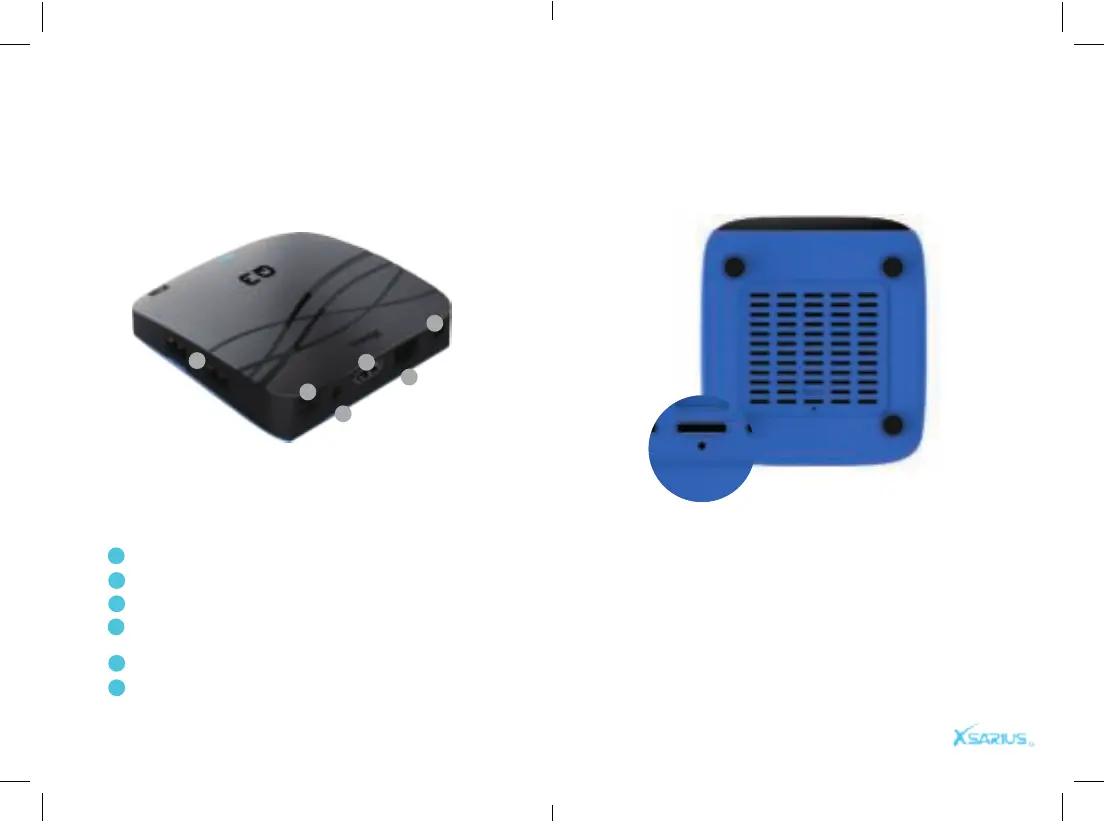
Rear Panel Bottom plate
While you shut the system down, press and hold the
recovery button with a needle. Reconnect the po-
wer and you will see blue lights. The box begins to
re-install the system. Release the needle. The enti-
re recovery process will last for about 15 minutes.
Do not turn off the power during system recovery.
DC Connect to the 12V power adapter.
LAN Connect to internet using an Ethernet cable.
DV-OUT Connect to TV using HDMI cable.
IR-EX Connect the Front Panel, to receive the signal
from remote control.
S/PDIF Digital Audio output.
USB/ Micro SD Connect to external storage device.
Product overview Product overview
1
2
3
4
5
6
1
2
3
4
5
6


 To Next Page