GPX Pro 49
© 2009 XT Racing
1.9.5 Mounting
The 8 tach leds are quite bright but highly directional. If you will be using the tach lights, you will
get best visibility when the GPX is mounted so that you view it head-on, as opposed to mounting
at an angle to your view.
If you will be racing at night, you may find that the tach lights are too bright, even at the lowest
brightness setting. In this case, it is recommend that the GPX either be mounted at an angle to
your line of view to reduce the apparent brightness, or turn off the tach lights altogether.
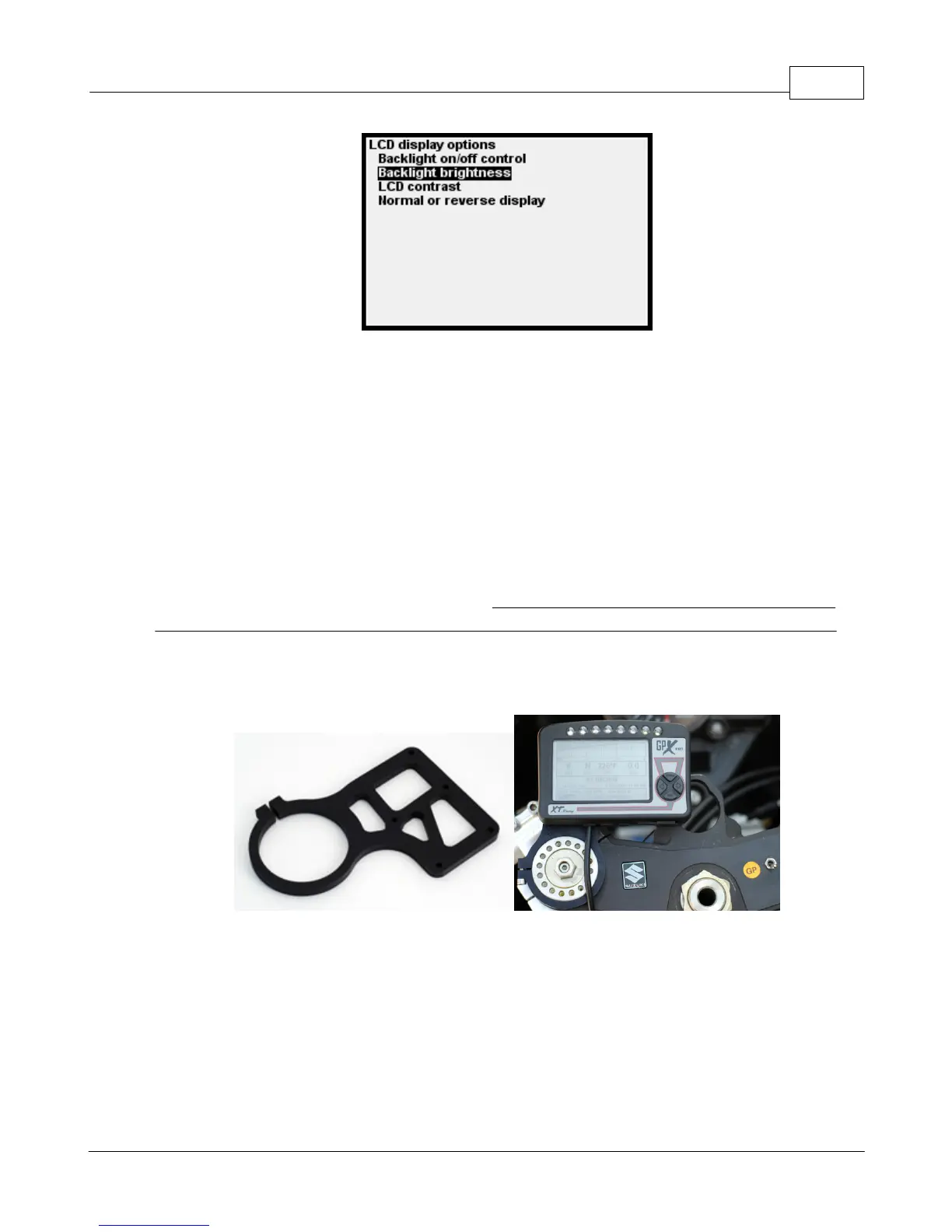
There are 4 threaded brass inserts on the back of the GPX. These screws are metric M3 threaded.
If you mount the GPX using these brass inserts, make sure that the length of M3 screw that you
are using is not so long that it could potentially "break through" into the inside of the GPX case.
For many motorcycles, a custom anodized billet aluminum mounting bracket is available from XT
Racing at www.xtracing.com.
1.9.6 Time and Time Zones
GPS reports its time as UTC time (which is essentially Greenwich Mean time). Your local time will
probably vary from UTC time by a number of hours. For example, during non-Daylight-Saving
time in the U.S., the eastern time zone is UTC time – 5 hours. (There are some places where the
difference may be in 30- or even 15-minute increments – for example, Nepal is UTC + 5:45.)
The GPX has a menu item which allows setting the local time. It uses the UTC time as reported by


 To Next Page