6
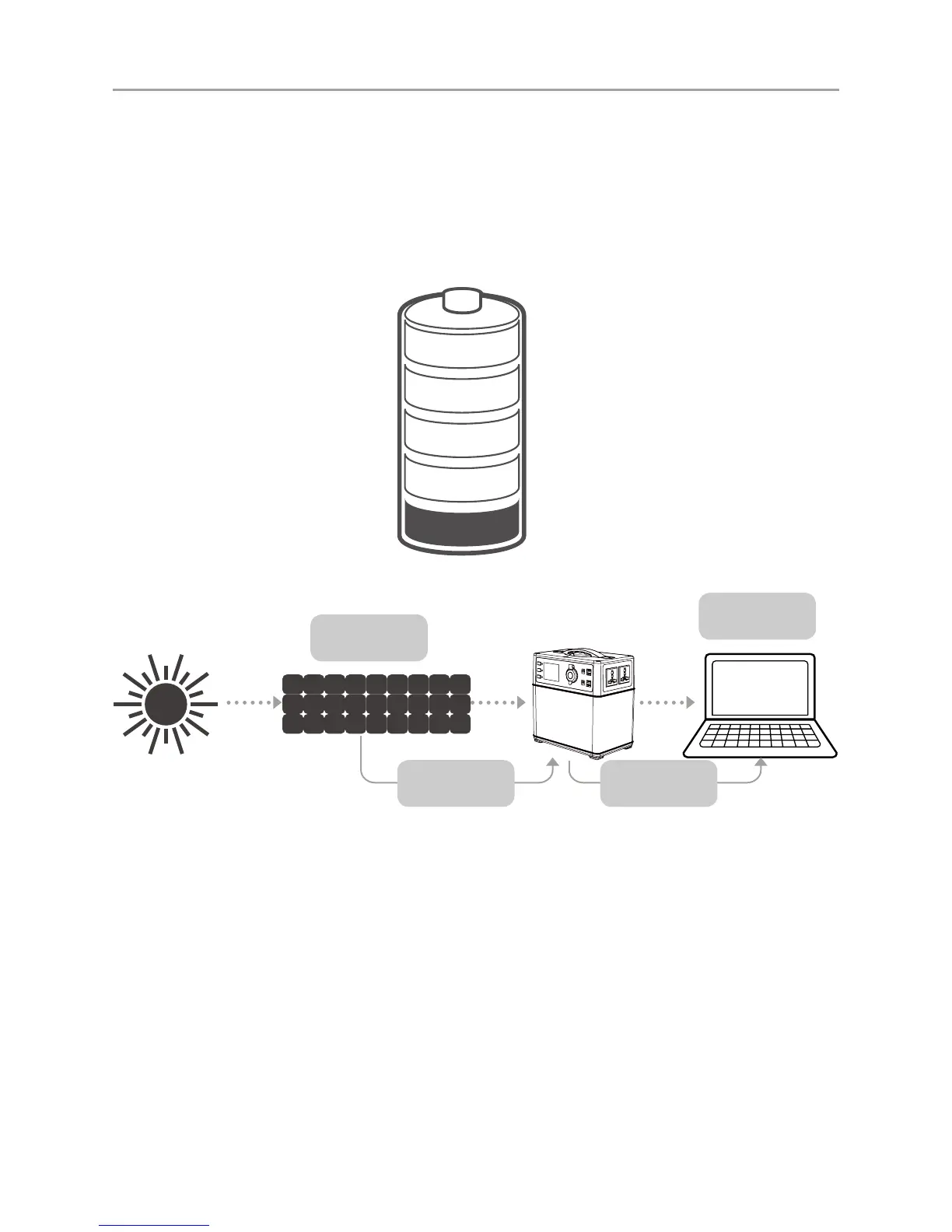
■ Charge with solar panel
4-6 Hours
Solar Panel
LAPTOP
3-5 Recharges
indicating the remaining capacity. While charging, you will notice a battery segment blinking with 1
second interval.This indicates the current charge status. The number under INPUT shows the real-
time charging power. Once fully charged, all battery segments will be lit and remain solid.
Charge it when there is only a battery segment left!
1. Power on the portable power supply by pressing the master power button for 2 seconds.
2. Place your solar panel where it can get as much direct sunlight as possible.
3. Connect the solar panel with our solar charging cable, then insert the Anderson plug of the cable
into the solar charging port on the left side of the portable power supply. The charging state can be
watched on the LCD display.
4. You can chain multiple solar panels together to reduce solar recharge times. The solar input
is capable of taking in 120W of solar charging power. The open-circuit voltage of the solar panel
should be from 14V to 40V.
5. The mobile power supply with the built-in advance system control circuit module, will stop
charging when the battery is fullly charged.



 To Next Page